Chapter 12 of 13
NCERT Solutions

Security Aspects

Chhattisgarh Board · Class 12 · Computer Science

NCERT Solutions for Security Aspects — Chhattisgarh Board Class 12 Computer Science.

42 questions20 flashcards5 concepts

Interactive on Super Tutor

Studying Security Aspects? Get the full interactive chapter.

Quizzes, flashcards, AI doubt-solver and a step-by-step study plan — built for ncert solutions and more.

1,000+ Class 12 students started this chapter today
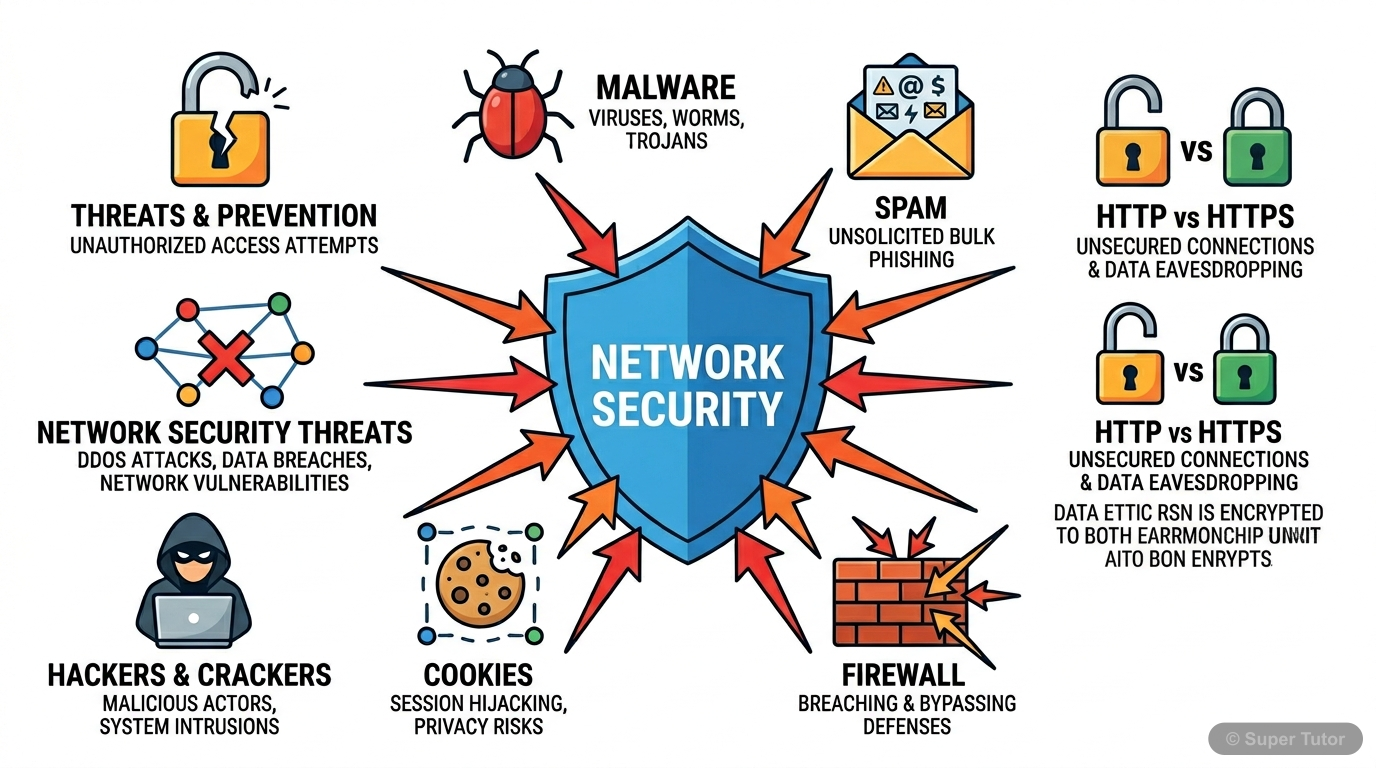
An infographic illustrating various types of network security threats and their general impact, providing a high-level understanding of the chapter's scope.
Super Tutor

Super Tutor has 20+ illustrations like this for Security Aspects alone — flashcards, concept maps, and step-by-step visuals.

See them all
17 Questions Solved · 1 Section

EXERCISE — Chapter 12: Security Aspects (Computer Science, Class XII)

1Why is a computer considered to be safe if it is not connected to a network or Internet?Show solution
Given/Concept: Most malware spreads through network connections, the Internet, or shared online resources.

Explanation:
A computer that is not connected to any network or the Internet is considered relatively safe because:

1. No Remote Access: Hackers and crackers cannot remotely access or exploit the system since there is no network pathway available to them.
2. No Malware Download: Malware such as viruses, worms, Trojans, ransomware, spyware, and adware are commonly downloaded from the Internet or spread through network connections. Without Internet access, this route is completely blocked.
3. No Spam/Phishing: Email-based threats like spam, phishing links, and malicious attachments cannot reach the computer.
4. No Network Intrusion: Attacks such as DoS, DDoS, snooping, eavesdropping, and buffer overflow attacks that rely on network traffic cannot be executed.
5. No Drive-by Downloads: Visiting malicious websites or clicking unsafe links is not possible without Internet connectivity.

Note: A completely isolated (air-gapped) computer can still be infected through infected removable storage devices (e.g., USB drives), but the risk is significantly reduced compared to a networked computer.

Conclusion: Since the majority of malware distribution channels require a network or Internet connection, an offline computer is considered much safer.
2What is a computer virus? Name some computer viruses that were popular in recent years.Show solution
Definition of Computer Virus:
A computer virus is a piece of malicious software (malware) code that is created to perform harmful activities and hamper the resources of a computer system. Like a biological virus, a computer virus attaches itself to a legitimate program or file and replicates itself when that program is executed. It can corrupt or delete data, slow down the system, and spread to other computers.

Key Characteristics:
- It requires a host program to attach itself to.
- It replicates and spreads to other files/systems.
- It is activated when the infected program is run.
- It can cause damage to hardware, software, or data.

Some Popular Computer Viruses in Recent Years:

| Virus/Malware | Description |
|---|---|
| ILOVEYOU (Love Bug) | Spread via email, overwrote files and sent itself to all contacts. |
| WannaCry | A ransomware virus that encrypted user data and demanded Bitcoin ransom (2017). |
| Melissa | A macro virus that spread via email and caused massive email server overloads. |
| Stuxnet | A sophisticated virus targeting industrial control systems. |
| CryptoLocker | A ransomware that encrypted files and demanded payment for decryption. |
| Mydoom | One of the fastest-spreading email worms/viruses. |

Conclusion: A computer virus is a self-replicating malicious code that attaches to host programs and causes damage to the infected system.
3How is a computer worm different from a virus?Show solution
Concept: Both virus and worm are types of malware, but they differ in how they operate and spread.

Differences between a Computer Worm and a Virus:

| Basis of Difference | Computer Virus | Computer Worm |
|---|---|---|
| Host Dependency | Requires a host program or file to attach itself to. | Is a standalone program; does not need a host file. |
| Replication | Replicates only when the infected host program is executed. | Can replicate and spread on its own without any user action. |
| Spreading | Spreads when an infected file is shared or executed. | Spreads automatically through networks, emails, or the Internet. |
| Activation | Needs human intervention (running the infected file) to activate. | Does not need human intervention; self-activating. |
| Damage | Typically corrupts or modifies files. | Primarily consumes network bandwidth and system resources, causing slowdowns. |
| Example | ILOVEYOU, Melissa | Morris Worm, Blaster |

Summary:
- A virus attaches to a host and needs the host to be executed to spread.
- A worm is independent, self-replicating, and can spread across networks automatically without any host program.

Conclusion: The key difference is that a worm is a standalone program capable of self-propagation, whereas a virus depends on a host program to replicate and spread.
4How is Ransomware used to extract money from users?Show solution
Given/Concept: Ransomware is a type of malware that targets user data.

How Ransomware Works to Extract Money:

Step 1 – Infection:
Ransomware enters the victim's computer through spam emails, malicious downloads, infected websites, or network vulnerabilities.

Step 2 – Encryption / Blocking:
Once installed, the ransomware either:
- Encrypts the user's personal files and data (documents, photos, videos, etc.) making them completely inaccessible to the user, OR
- Locks the user out of their own system entirely.

Step 3 – Ransom Demand:
After blocking access, the ransomware displays a message on the screen demanding a ransom payment (usually in cryptocurrency like Bitcoin to remain untraceable) in exchange for:
- The decryption key to unlock the encrypted files, OR
- Restoring access to the system.

Step 4 – Threat:
Some ransomware also threatens to publish the victim's sensitive or personal data online if the ransom is not paid within a given time limit, adding further pressure on the victim.

Step 5 – Payment:
If the victim pays the ransom, the attacker may (or may not) provide the decryption key. There is no guarantee that paying the ransom will restore the data.

Example: WannaCry (2017) encrypted files on thousands of computers worldwide and demanded Bitcoin payments.

Conclusion: Ransomware exploits the user's dependency on their own data by encrypting or blocking it and demanding payment for restoration, making it a highly effective cybercrime tool.
5How did a Trojan get its name?Show solution
Concept: The name 'Trojan' is derived from ancient Greek mythology.

Origin of the Name:
The term Trojan (or Trojan Horse) comes from the ancient Greek story of the Trojan War. According to the legend, the Greeks built a giant wooden horse and hid their soldiers inside it. They presented this horse as a gift to the city of Troy. The Trojans, believing it to be a genuine gift, brought the horse inside their city walls. At night, the Greek soldiers hidden inside the horse came out and attacked the city of Troy from within, leading to its fall.

Connection to Malware:
Similarly, a Trojan malware disguises itself as a legitimate, useful, or harmless software (just like the wooden horse appeared to be a gift). When a user is tricked into installing it, the Trojan secretly performs malicious activities in the background — such as stealing data, creating backdoors, or acting like a virus or worm — without the user's knowledge.

Key Characteristics of a Trojan:
- It does not self-replicate (unlike a virus or worm).
- It relies on social engineering to trick users into installing it.
- Once installed, it can cause significant damage or allow unauthorised access.

Conclusion: The Trojan malware gets its name from the mythological Trojan Horse because, just like the horse, it appears legitimate on the outside but carries a hidden malicious payload inside.
6How does an adware generate revenue for its creator?Show solution
Given/Concept: Adware is a type of malware that displays unwanted online advertisements.

How Adware Generates Revenue:

Adware generates revenue for its creator through the following mechanisms:

1. Pay-Per-Click (PPC) Advertising:
Adware displays pop-up advertisements, banners, or sponsored links on the user's screen. Every time a user (intentionally or accidentally) clicks on one of these advertisements, the adware creator earns a small amount of money from the advertiser. This is the most common revenue model.

2. Pay-Per-View / Pay-Per-Impression:
Some advertisers pay the adware creator simply for displaying their advertisement to users, regardless of whether the user clicks on it or not. The more users infected, the more impressions generated, and the more revenue earned.

3. Redirecting to Paid Websites:
Adware may redirect users to specific websites or online stores. If the user makes a purchase on that website, the adware creator earns an affiliate commission.

4. Collecting and Selling User Data:
Adware may also collect browsing habits, preferences, and personal data of users and sell this data to third-party advertisers or marketing companies.

5. Promoting Malware or Paid Software:
Adware may display links to paid software or other malware, tricking users into downloading them, thereby generating revenue.

Note: Although adware is usually considered annoying but harmless, it often paves the way for other malware by displaying unsafe links as advertisements.

Conclusion: Adware primarily generates revenue through pay-per-click and pay-per-impression advertising models, by displaying unwanted advertisements to a large number of infected users.
7Briefly explain two threats that may arise due to a keylogger installed on a computer.Show solution
Given/Concept: A keylogger records all keys pressed by a user on the keyboard and may send this information to an external entity.

Two Major Threats due to a Keylogger:

Threat 1 – Password and Credential Theft:
A keylogger records every keystroke made by the user, including usernames and passwords typed during login to email accounts, banking websites, social media, or any other online service. This recorded information is then sent to the attacker, who can use these credentials to gain unauthorised access to the victim's accounts. This can lead to financial loss (in case of banking credentials) or identity theft.

*Example:* If a user types their net banking password on an infected computer, the keylogger captures it and sends it to the hacker, who can then log in and transfer funds.

Threat 2 – Leakage of Private and Sensitive Information:
A keylogger records all keyboard activity, including private emails, personal messages, confidential business communications, credit card numbers, and other sensitive data typed by the user. This information is sent to an external entity without the user's knowledge or consent, leading to a serious breach of privacy. The attacker can misuse this information for blackmail, corporate espionage, or identity fraud.

*Example:* Private conversations typed in a chat application or confidential business strategies typed in a document can be captured and misused.

Preventive Measure: One strategy to avoid password leaks by keyloggers is to use an online virtual keyboard (which randomises the key layout) while signing into accounts on an unknown computer.

Conclusion: Keyloggers pose serious threats of credential theft and privacy breaches by silently recording and transmitting all keyboard activity.
8How is a Virtual Keyboard safer than On Screen Keyboard?Show solution
Given/Concept: Both on-screen keyboard and online virtual keyboard are software-based keyboards, but they differ in their key layout.

On-Screen Keyboard:
- An on-screen keyboard is an application software (part of the operating system) that uses a fixed QWERTY key layout every time it is used.
- Since the layout is always the same and predictable, a sophisticated keylogger software can easily map the screen coordinates of each key to the corresponding character.
- Therefore, even though the user is clicking on a screen instead of pressing physical keys, a keylogger can still determine which key was pressed by monitoring mouse clicks and the fixed key positions.

Online Virtual Keyboard:
- An online virtual keyboard is a web-based or standalone software that randomises the key layout every time it is used.
- Since the position of each key changes randomly with every use, a keylogger software cannot predict or map which key corresponds to which character based on screen coordinates.
- This makes it very difficult for a keylogger to record the actual keys pressed by the user.

Why Virtual Keyboard is Safer:

| Feature | On-Screen Keyboard | Online Virtual Keyboard |
|---|---|---|
| Key Layout | Fixed QWERTY (always same) | Randomised every time |
| Vulnerability to Keylogger | High (layout is predictable) | Very Low (layout changes each time) |
| Safety for Password Entry | Less safe | Much safer |

Conclusion: An online virtual keyboard is safer than an on-screen keyboard because its randomised key layout prevents keylogger software from mapping screen positions to characters, thereby protecting sensitive information like passwords.
9List and briefly explain different modes of malware distribution.Show solution
Given/Concept: Malware can reach a computer through various routes or modes of distribution.

Different Modes of Malware Distribution:

1. Downloaded from the Internet:
Malware is often bundled with free software, games, movies, music, or other files available for download on the Internet. When a user downloads and installs such files, the malware gets installed along with them. Visiting malicious or compromised websites can also trigger automatic (drive-by) downloads of malware.

2. Spam Email:
Malware is frequently distributed through spam emails. These emails may contain:
- Malicious attachments (e.g., infected Word documents, PDFs, or executable files) that install malware when opened.
- Phishing links that redirect users to fake websites designed to steal credentials or download malware.

3. Using Infected Removable Storage Devices:
Malware can spread through infected USB drives, external hard disks, memory cards, or CDs/DVDs. When an infected removable device is connected to a clean computer, the malware automatically copies itself onto the new system (especially through the AutoRun feature).

4. Network Propagation:
Worms and other malware can spread automatically across computer networks by exploiting vulnerabilities in network protocols, operating systems, or applications. Once one computer in a network is infected, the malware can scan and infect other connected computers without any user interaction.

5. Social Engineering:
Attackers trick users into installing malware by disguising it as legitimate software (Trojans), fake system updates, or security alerts.

Conclusion: Malware can reach a computer through the Internet, spam emails, infected removable devices, network propagation, and social engineering, making it important to be cautious across all these channels.
10List some common signs of malware infection.Show solution
Given/Concept: When a computer is infected with malware, it exhibits certain unusual behaviours that serve as warning signs.

Common Signs of Malware Infection:

1. Slow System Performance: The computer becomes unusually slow in processing tasks, opening files, or loading applications, as malware consumes system resources (CPU, RAM).

2. Frequent System Crashes or Freezes: The computer crashes, freezes, or displays the 'Blue Screen of Death' (BSOD) more often than usual.

3. Unexpected Pop-up Advertisements: A large number of unwanted pop-up ads appear on the screen, even when the browser is not open (sign of adware).

4. Unusual Network Activity: High network usage even when the user is not actively browsing, indicating that malware may be sending data to an external server.

5. Programs Opening or Closing Automatically: Applications start or close on their own without user intervention.

6. Missing or Corrupted Files: Important files go missing, get corrupted, or cannot be accessed (possible sign of ransomware or virus).

7. Disabled Security Software: The antivirus or firewall gets disabled automatically, as some malware specifically targets security tools.

8. Unknown Programs in Task Manager: Unfamiliar or suspicious processes running in the background in the Task Manager.

9. Browser Redirects: The web browser homepage changes automatically, or searches are redirected to unknown websites (browser hijacking).

10. Increased Hard Disk Activity: The hard disk light blinks continuously even when no programs are running.

11. Contacts Receiving Spam from Your Account: Friends or contacts report receiving spam emails or messages from your email or social media account.

Conclusion: These signs collectively indicate a possible malware infection and should prompt the user to run a full antivirus scan immediately.
11List some preventive measures against malware infection.Show solution
Given/Concept: Prevention is better than cure; taking proactive steps can significantly reduce the risk of malware infection.

Preventive Measures Against Malware Infection:

1. Install and Update Antivirus/Anti-malware Software:
Always keep a reputable antivirus software installed and ensure it is regularly updated with the latest virus definitions to detect new threats.

2. Keep the Operating System and Software Updated:
Regularly update the operating system, browsers, and all installed software to patch known security vulnerabilities that malware can exploit.

3. Avoid Downloading from Untrusted Sources:
Download software, files, and media only from official and trusted websites. Avoid pirated software and files from unknown sources.

4. Be Cautious with Email Attachments and Links:
Do not open email attachments or click on links from unknown or suspicious senders. Verify the sender's identity before opening any attachment.

5. Use a Firewall:
Enable the system's firewall to monitor and control incoming and outgoing network traffic, blocking unauthorised access.

6. Scan Removable Storage Devices:
Always scan USB drives, external hard disks, and other removable media with antivirus software before accessing their contents.

7. Use Strong and Unique Passwords:
Use strong, complex, and unique passwords for all accounts. Enable two-factor authentication (2FA) wherever possible.

8. Use HTTPS Websites:
Always look for 'https://' in the URL before entering sensitive information on any website, ensuring encrypted communication.

9. Avoid Using Unknown Computers for Sensitive Tasks:
Avoid logging into banking or personal accounts on public or unknown computers. If necessary, use an online virtual keyboard.

10. Regular Data Backup:
Maintain regular backups of important data on an external drive or cloud storage to recover data in case of a ransomware attack.

11. Be Aware of Social Engineering:
Be cautious of unsolicited calls, messages, or emails asking for personal information or urging you to install software.

Conclusion: A combination of updated security software, safe browsing habits, and user awareness forms the best defence against malware infection.
12Write a short note on different methods of malware identification used by antivirus software.Show solution
Given/Concept: Antivirus software uses several techniques to identify and detect malware on a computer system.

Methods of Malware Identification Used by Antivirus Software:

(A) Signature-Based Detection:
This is the most traditional and widely used method. Every known malware has a unique digital signature (a specific pattern or sequence of code). The antivirus software maintains a virus definition database containing signatures of all known malware. When scanning a file, the antivirus compares the file's code against this database. If a match is found, the file is flagged as malware.
- Advantage: Very accurate for known malware.
- Limitation: Cannot detect new or unknown (zero-day) malware whose signature is not yet in the database.

(B) Sandbox Detection:
In this method, a suspected file or program is executed in an isolated virtual environment called a 'sandbox'. The sandbox mimics the actual system environment but is completely isolated from the real system. The behaviour of the program is observed within the sandbox. If the program exhibits malicious behaviour (e.g., trying to modify system files, replicate itself, or connect to external servers), it is flagged as malware.
- Advantage: Can detect new and unknown malware based on behaviour.
- Limitation: Some sophisticated malware can detect sandbox environments and behave normally within them.

(C) Heuristics:
Often, malware infection follows a certain pattern. In this method, the source code of a suspected program is compared to viruses that are already known and stored in the heuristic database. If the majority of the source code matches with any code in the heuristic database, the code is flagged as a possible threat, even if it is not an exact match.
- Advantage: Can detect variants of known malware and some new threats.
- Limitation: May produce false positives (flagging legitimate software as malware).

(D) Real-Time Protection:
Some malware remains dormant or gets activated after some time. In this technique, the anti-malware software keeps running in the background continuously and monitors the behaviour of applications or files for any suspicious activity while they are being executed (i.e., when they reside in the active/main memory).
- Advantage: Provides continuous, live protection against active threats.
- Limitation: Consumes system resources continuously.

Conclusion: Modern antivirus software combines all these methods — signature-based detection, sandbox detection, heuristics, and real-time protection — to provide comprehensive malware identification and protection.
13What are the risks associated with HTTP? How can we resolve these risks by using HTTPS?Show solution
Given/Concept: HTTP and HTTPS are protocols governing data transmission over the World Wide Web.

Risks Associated with HTTP:

HTTP (Hyper Text Transfer Protocol) sends information over the network as it is, without any encryption or scrambling of data. This leads to the following risks:

1. Data Interception (Snooping/Eavesdropping): Since data is transmitted in plain text, any attacker who intercepts the network traffic can easily read sensitive information such as passwords, credit card numbers, personal messages, and other confidential data.

2. Man-in-the-Middle (MitM) Attack: An attacker can position themselves between the client and the server, intercept the communication, read or modify the data being transmitted, and relay it — without either party knowing.

3. Data Tampering: Since there is no integrity check, an attacker can modify the data packets being transmitted between the client and server.

4. No Authentication: HTTP does not verify the identity of the server, making it possible for attackers to set up fake websites that impersonate legitimate ones (phishing).

How HTTPS Resolves These Risks:

HTTPS (Hyper Text Transfer Protocol Secure) is the secure variant of HTTP. It resolves the above risks through the following mechanisms:

1. Encryption: HTTPS uses SSL (Secure Sockets Layer) or TLS (Transport Layer Security) protocols to encrypt the data before transmission. Even if an attacker intercepts the data, they cannot read it as it appears as scrambled, unreadable text.

2. Data Integrity: HTTPS ensures that the data transmitted between the client and server is not tampered with or modified during transit.

3. Authentication: HTTPS uses digital certificates issued by trusted Certificate Authorities (CAs) to verify the identity of the server, ensuring that the user is communicating with the genuine website and not a fake one.

Best Practice: Always look for 'https://' at the beginning of the URL of websites while entering banking, personal, or other sensitive information.

Conclusion: While HTTP transmits data in plain text making it vulnerable to interception and tampering, HTTPS encrypts data and authenticates the server, making online communication significantly more secure.
14List one advantage and disadvantage of using Cookies.Show solution
Given/Concept: A computer cookie is a small file or data packet stored by a website on the client's computer to remember browsing information.

One Advantage of Using Cookies:

Enhanced Browsing Experience / Personalisation:
Cookies store user preferences, login information, shopping cart contents, and browsing history. This allows websites to remember the user's settings and preferences, providing a personalised and convenient browsing experience. For example, a user does not have to log in every time they visit a website, or their shopping cart items are retained even after closing the browser.

One Disadvantage of Using Cookies:

Privacy Threat / Unauthorised Data Sharing:
Some third-party cookies may share user data (browsing habits, preferences, search history) with advertisers or other entities without the user's consent, violating their privacy. For example, if a user searches for a product, third-party cookies may display advertisements for similar products on other websites. Additionally, malicious cookies like 'supercookies' or 'zombie cookies' (which recreate themselves after being deleted) can be used for persistent tracking or even to disguise malware.

Conclusion: While cookies improve user experience through personalisation, they pose a significant privacy risk through unauthorised data collection and sharing. Users should be careful while granting permission to websites to create and store cookies.
15Write a short note on White, Black, and Grey Hat Hackers.Show solution
Given/Concept: Hackers are people with thorough knowledge of computer systems, networks, and programming who use this knowledge to find loopholes and vulnerabilities. They are classified based on their intent.

(A) White Hat Hackers (Ethical Hackers):
White hat hackers are security experts who use their hacking knowledge ethically and legally for constructive purposes. They are hired by organisations to find and fix security flaws, loopholes, and vulnerabilities in their computer systems and networks before malicious hackers can exploit them. They work with the full permission of the organisation. Technically, white hats work against black hats. They are also known as ethical hackers or penetration testers.
- *Intent:* Good / Constructive
- *Example:* A company hiring a security expert to test its website for vulnerabilities.

(B) Black Hat Hackers (Crackers):
Black hat hackers use their knowledge unethically and illegally to break the law and disrupt security. They exploit flaws and loopholes in computer systems or networks for personal gain, financial benefit, or malicious intent — such as stealing data, spreading malware, conducting financial fraud, or disrupting services. They operate without the permission of the system owner. They are also called crackers.
- *Intent:* Malicious / Destructive
- *Example:* A hacker breaking into a bank's system to steal customer data.

(C) Grey Hat Hackers:
Grey hat hackers fall in the grey area between white and black hats. They may hack into systems without permission (like black hats) but do not have malicious intent (like white hats). They often hack systems as a challenge or for fun, and may inform the organisation about the vulnerabilities they discover, sometimes expecting a reward or recognition. Their actions are technically illegal (as they hack without permission) but not necessarily harmful.
- *Intent:* Mixed / Ambiguous
- *Example:* A hacker who breaks into a company's system, discovers a vulnerability, and then informs the company about it.

Conclusion: The classification of hackers into white, black, and grey hats is based on their intent and the legality of their actions, ranging from fully ethical to fully malicious.
16Differentiate between DoS and DDoS attack.Show solution
Given/Concept: Both DoS and DDoS are network attacks that aim to make a resource unavailable to its intended users.

Differences between DoS and DDoS Attack:

| Basis of Difference | DoS (Denial of Service) Attack | DDoS (Distributed Denial of Service) Attack |
|---|---|---|
| Definition | An attack where a single system floods the victim's resource (server/network) with excessive traffic, making it unavailable. | An attack where multiple compromised systems (distributed across a large area) simultaneously flood the victim's resource with traffic. |
| Source of Attack | Originates from a single source (one computer or IP address). | Originates from multiple sources (hundreds or thousands of compromised computers called 'Zombies' or 'Botnets'). |
| Scale | Relatively smaller scale attack. | Much larger scale attack; harder to stop. |
| Traceability | Easier to trace and block since it comes from a single IP address. | Very difficult to trace and block since it comes from many different IP addresses distributed globally. |
| Severity | Less severe; can often be mitigated by blocking the single attacking IP. | More severe; blocking individual IPs is ineffective due to the large number of sources. |
| Resources Required | Requires only one machine to launch the attack. | Requires a botnet — a network of many compromised machines (Zombies). |
| Example | One computer sending millions of requests to a web server. | Thousands of zombie computers worldwide simultaneously sending requests to a web server. |

Conclusion: While both attacks aim to overwhelm and disable a target resource, DDoS is a more powerful and harder-to-mitigate version of DoS, as it uses multiple distributed sources (zombie computers) to launch the attack simultaneously.
17How is Snooping different from Eavesdropping?Show solution
Given/Concept: Both snooping and eavesdropping are network security threats involving unauthorised interception of communication, but they differ in their nature and method.

Differences between Snooping and Eavesdropping:

| Basis of Difference | Snooping | Eavesdropping |
|---|---|---|
| Definition | The process of secret capture, analysis, and copying of network traffic. The attacker captures data packets, analyses them, makes a copy, and places the original packets back in the channel. | Unauthorised real-time interception or monitoring of private communication between two entities over a network, without copying or modifying the data. |
| Nature | Involves capturing and copying data; the original data is placed back, so the communication appears unaffected. | Involves passively listening to ongoing communication in real time without necessarily copying or storing it. |
| Detection | Very difficult to detect as the original data is returned to the channel undisturbed. | May be slightly easier to detect in some cases. |
| Real-time | May not be real-time; data is captured, copied, and then returned. | Is essentially a real-time activity — the attacker listens as the communication happens. |
| Analogy | Like someone making a photocopy of a letter addressed to your friend, keeping the copy, and sending the original letter to the intended recipient — without the sender or receiver knowing. | Like someone physically standing near a window or using a hidden microphone to listen to your private conversation as it happens. |
| Data Modification | The attacker may analyse and use the copied data later. | The attacker only listens; does not necessarily copy or modify. |

Conclusion: Snooping involves secretly capturing, copying, and analysing network data while returning the original to the channel, whereas eavesdropping is the unauthorised real-time listening to private communications. Both are serious privacy and security threats that can be mitigated by encrypting data transmitted over the network.

Stuck on a step?

Ask Super Tutor AI to explain any solution on this page in a simpler way — free, 24x7.

Ask a Doubt Free

Frequently Asked Questions

What are the important topics in Security Aspects for Chhattisgarh Board Class 12 Computer Science?
Security Aspects covers several key topics that are frequently asked in Chhattisgarh Board Class 12 board exams. Focus on the core concepts listed on this page and practise related questions to build confidence.
How to score full marks in Security Aspects — Chhattisgarh Board Class 12 Computer Science?
Understand the core concepts first, then work through the 42 practice questions available for this chapter. Revise formulas and definitions regularly, and use flashcards for quick recall before the exam.
Where can I get free NCERT Solutions for Security Aspects Class 12 Computer Science?
This page has free step-by-step NCERT Solutions for every exercise question in Security Aspects (Chhattisgarh Board Class 12 Computer Science) — written the way examiners award marks: given, formula, working, answer.

Sources & Official References

Content is aligned to the official syllabus. Refer to the board website for the latest curriculum.

For serious students

Get the full Security Aspects chapter — for free.

Quizzes, flashcards, AI doubt-solver and a step-by-step study plan for Chhattisgarh Board Class 12 Computer Science.