Database Concepts — NCERT Solutions
Haryana Board · Class 12 · Computer Science
NCERT Solutions for Database Concepts, Haryana Board Class 12 Computer Science: 15 textbook questions solved step by step.
Interactive on Super Tutor
Studying Database Concepts? Get the full interactive chapter.
Quizzes, flashcards, AI doubt-solver and a step-by-step study plan — built for NCERT solutions and more.
Free trial, no card needed.
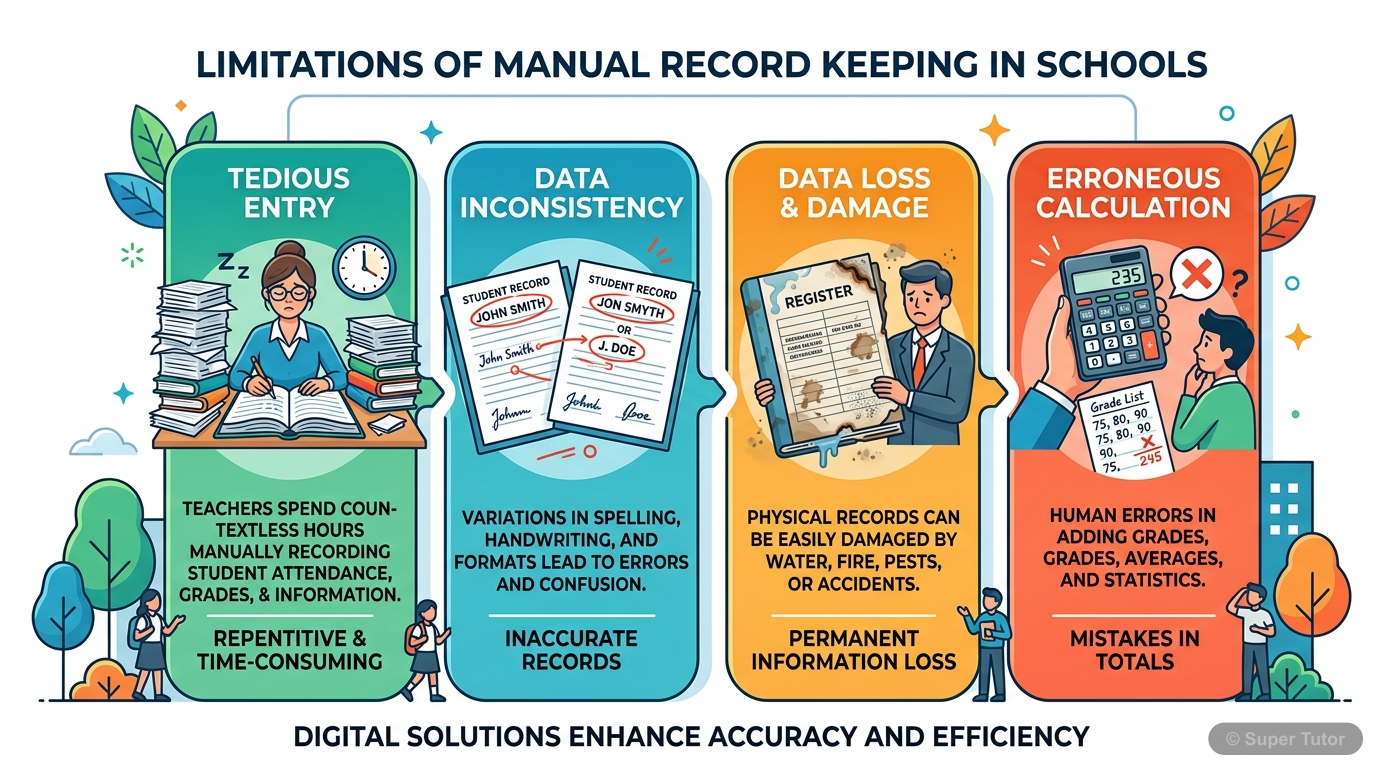
Learn better with visuals Super Tutor pairs illustrations like this with notes and quizzes for Database Concepts.
The first 8 solutions are open to read. The other 7 are free with a Super Tutor account.
EXERCISE — Database Concepts (Chapter 8)
1Give the terms for each of the following:
a) Collection of logically related records.
b) DBMS creates a file that contains description about the data stored in the database.
c) Attribute that can uniquely identify the tuples in a relation.
d) Special value that is stored when actual data value is unknown for an attribute.
e) An attribute which can uniquely identify tuples of the table but is not defined as primary key of the table.
f) Software that is used to create, manipulate and maintain a relational database.Show solution
Given: Descriptions of various database-related terms.
Answers:
a) Database — A database is a collection of logically related records (data) organised so that it can be easily accessed, managed, and updated.
b) Database Catalog (Data Dictionary) — The DBMS creates a file called the database catalog (or data dictionary) that stores the description (metadata) about the data stored in the database, including schema, constraints, and structure.
c) Primary Key (or Candidate Key) — An attribute (or a set of attributes) that can uniquely identify each tuple in a relation is called a Primary Key. More generally, any such attribute is called a Candidate Key.
d) NULL value — A special value called NULL is stored when the actual data value for an attribute is unknown, missing, or not applicable.
e) Alternate Key — An attribute that can uniquely identify tuples of the table but has not been selected as the primary key is called an Alternate Key. (It is a candidate key that is not the primary key.)
f) Relational Database Management System (RDBMS) — Software such as MySQL that is used to create, manipulate, and maintain a relational database is called an RDBMS.
2Why foreign keys are allowed to have NULL values? Explain with an example.Show solution
Concept: A foreign key is an attribute in one relation (referencing relation) whose value is derived from the primary key of another relation (referenced/primary relation). A foreign key is allowed to have NULL values because a NULL foreign key simply means that the relationship between the two records does not exist yet or is not known at the time of insertion.
Reason: If a foreign key were not allowed to take NULL, then every record in the referencing table would be forced to have a corresponding record in the referenced table. This is unnecessarily restrictive in many real-world scenarios.
Example: Consider the STUDENT table from the chapter:
Here, GUID is a foreign key referencing the GUARDIAN table. In Table 8.4, the student Taleem Shah (RollNumber = 3) has a NULL value for GUID. This means that the guardian details for Taleem Shah are not yet known or not yet entered into the system. Forcing a non-NULL value would prevent adding the student record until guardian details are available, which is impractical.
Conclusion: Therefore, foreign keys are allowed to have NULL values to handle situations where the relationship information is temporarily unavailable or not applicable, without violating referential integrity.
3aDifferentiate between: Database state and database schema.Show solution
Differentiation between Database State and Database Schema:
| Basis | Database Schema | Database State (Instance) |
|---|---|---|
| Definition | The overall design or structure of the database (tables, attributes, constraints, relationships). | The actual data stored in the database at a particular moment in time. |
| Changes | Schema rarely changes; it is defined at the time of database design. | State changes frequently as data is inserted, deleted, or updated. |
| Also called | Intension of the database. | Extension or instance of the database. |
| Example | STUDENT(RollNumber, SName, SDateofBirth, GUID) — this structure is the schema. | The actual rows/tuples present in the STUDENT table at any given time is the database state. |
Summary: Schema is the blueprint (design) of the database, while the database state is the current snapshot of actual data stored according to that blueprint.
3bDifferentiate between: Primary key and foreign key.Show solution
Differentiation between Primary Key and Foreign Key:
| Basis | Primary Key | Foreign Key |
|---|---|---|
| Definition | An attribute (or set of attributes) that uniquely identifies each tuple in a relation. | An attribute in one relation whose value is derived from the primary key of another relation. |
| Purpose | Used for unique identification of tuples within the same table. | Used to establish and enforce a link (relationship) between two tables. |
| NULL values | Cannot have NULL values. | Can have NULL values (if not part of its own table's primary key). |
| Duplicate values | Cannot have duplicate values. | Can have duplicate values. |
| Location | Defined within the same relation. | Defined in the referencing (foreign) relation; references the primary relation. |
| Example | RollNumber in STUDENT table. | GUID in STUDENT table references GUID (primary key) of GUARDIAN table. |
Summary: Primary key uniquely identifies records in its own table, while a foreign key creates a relationship between two tables by referencing the primary key of another table.
3cDifferentiate between: Degree and cardinality of a relation.Show solution
Differentiation between Degree and Cardinality of a Relation:
| Basis | Degree | Cardinality |
|---|---|---|
| Definition | The number of attributes (columns) in a relation. | The number of tuples (rows) in a relation. |
| Also called | Arity of the relation. | Number of records in the relation. |
| Changes with | Changes only when the schema (structure) is modified (column added/removed). | Changes frequently as data is inserted or deleted. |
| Example | STUDENT(RollNumber, SName, SDateofBirth, GUID) has degree = 4 (4 columns). | If STUDENT table has 6 rows (as in Table 8.4), its cardinality = 6. |
Summary: Degree refers to the number of columns (attributes) in a table, whereas cardinality refers to the number of rows (tuples) in a table.
4Compared to a file system, how does a database management system avoid redundancy in data through a database?Show solution
Given: Comparison of file system and DBMS with respect to data redundancy.
Data Redundancy in File System:
In a file system, the same data may be stored in multiple files. For example, if a student's guardian details (GName, GPhone, GAddress) are stored in the STUDENT file, and two siblings are in the same class, the same guardian's details are stored twice — once for each sibling. This is data redundancy.
How DBMS Avoids Redundancy:
- Normalisation / Table Splitting: DBMS allows splitting data into multiple related tables. In our example, the STUDENT file is split into STUDENT and GUARDIAN tables. Guardian details are stored only once in the GUARDIAN table, and each student record simply stores the GUID (Guardian ID) as a foreign key.
- Use of Keys (Primary Key and Foreign Key): By using primary keys and foreign keys, related data from different tables can be linked. This eliminates the need to repeat the same data in multiple places.
- Centralised Data Storage: All data is stored centrally in a database. Any application or user accesses the same single copy of data, so there is no need to duplicate data across multiple files.
Example: In the STUDENT-ATTENDANCE database:
- Guardian details are stored only once in the GUARDIAN table.
- The STUDENT table stores only the GUID (foreign key) to refer to the guardian.
- This avoids repeating GName, GPhone, GAddress for siblings.
Conclusion: DBMS avoids redundancy by organising data into related tables using keys, ensuring each piece of information is stored only once.
5What are the limitations of file system that can be overcome by a relational DBMS?Show solution
Limitations of File System overcome by Relational DBMS:
1. Data Redundancy:
- File System: Same data is stored in multiple files, leading to wastage of storage space.
- RDBMS: Data is stored in related tables using primary and foreign keys, so each piece of data is stored only once.
2. Data Inconsistency:
- File System: When the same data is stored in multiple files, updating one file may leave others unchanged, causing inconsistency.
- RDBMS: Since data is stored at one place, updating it once reflects everywhere, maintaining consistency.
3. Data Isolation:
- File System: Data is scattered across different files in different formats, making it difficult to retrieve related data together.
- RDBMS: Tables are related through keys, so data from multiple tables can be retrieved together using queries (SQL).
4. Data Dependence:
- File System: Application programs are tightly coupled with the file structure. Any change in file structure requires changes in all programs.
- RDBMS: DBMS provides data abstraction; changes in storage structure do not affect application programs.
5. Controlled Data Sharing:
- File System: It is difficult to control who can access which data.
- RDBMS: DBMS provides access control mechanisms (user privileges, roles) to allow controlled and secure data sharing among multiple users.
6. Difficulty in Querying:
- File System: Retrieving specific data requires writing complex programs.
- RDBMS: SQL (Structured Query Language) allows easy and powerful querying of data.
Conclusion: RDBMS overcomes all major limitations of the file system by providing a structured, consistent, and secure way to store and manage data.
6A school has a rule that each student must participate in a sports activity. So each one should give only one preference for sports activity. Suppose there are five students in a class, each having a unique roll number. The class representative has prepared a list of sports preferences as shown below.
Table: Sports Preferences
| Roll_no | Preference |
|---|---|
| 9 | Cricket |
| 13 | Football |
| 17 | Badminton |
| 17 | Football |
| 21 | Hockey |
| 24 | NULL |
| NULL | Kabaddi |
a) Roll no 24 may not be interested in sports. Can a NULL value be assigned to that student's preference field?
b) Roll no 17 has given two preferences in sports. Which property of relational DBMS is violated here? Can we use any constraint or key in the relational DBMS to check against such violation, if any?
c) Kabaddi was not chosen by any student. Is it possible to have this tuple in the Sports Preferences relation?Show solution
Given: Sports Preferences table with Roll_no and Preference columns.
a) Can NULL be assigned to Roll_no 24's Preference field?
Answer: The school rule states that each student must participate in a sports activity, meaning every student must give a preference. Therefore, according to the school's rule, a NULL value should NOT be assigned to the Preference field.
However, from a purely technical/DBMS perspective, if the Preference column does not have a NOT NULL constraint defined, then NULL can be stored. But to enforce the school rule, a NOT NULL constraint should be applied to the Preference column so that no student can have a missing preference.
Conclusion: NULL should not be allowed for Preference; a NOT NULL constraint must be applied.
b) Roll no 17 has two preferences — which property is violated?
Property Violated: The school rule states each student gives only one preference. Having two rows for Roll_no 17 (Badminton and Football) violates the entity integrity and the concept of functional dependency (Roll_no should uniquely determine Preference).
More specifically, this violates the property that each tuple in a relation must be unique (no duplicate or conflicting tuples for the same entity).
Constraint/Key to prevent this: If Roll_no is defined as the Primary Key of the Sports Preferences relation, then the DBMS will not allow two rows with the same Roll_no. The primary key constraint ensures that each student (identified by Roll_no) can have only one entry (one preference) in the table.
This will prevent Roll_no 17 from appearing twice.
c) Can the tuple (NULL, Kabaddi) exist in the Sports Preferences relation?
Answer: No, this tuple cannot exist in the Sports Preferences relation.
Reason: Roll_no is the Primary Key of the relation. A primary key cannot have a NULL value (Entity Integrity Rule). Since the Roll_no for the Kabaddi tuple is NULL, it violates the primary key constraint. Therefore, this tuple cannot be inserted into the relation.
Also, logically, a sports preference without a student's roll number is meaningless in this context.
Free with a Super Tutor account
a) To store each item name along with its price, what relation should be used? Decide appropriate attribute names along with their data type. Each item and its price should be stored only once. What restriction should be used while defining the relation?
b) In order to generate bill, we should know the quantity of an item purchased. Should this information be in a new relation or a part of the previous relation? If a new relation is required, decide appropriate name and data type for attributes. Also, identify appropriate primary key and foreign key so that the following two restrictions are satisfied:
i) The same bill cannot be generated for different orders.
ii) Bill can be generated only for available items in the canteen.
c) The school wants to find out how many calories students intake when they order an item. In which relation should the attribute 'calories' be stored?
Free with a Super Tutor account
EMPLOYEE(AadharNumber, Name, Address, Department, EmployeeID)
DEPENDENT(EmployeeID, DependentName, Relationship)
a) Name the attributes of EMPLOYEE, which can be used as candidate keys.
b) The company wants to retrieve details of dependent of a particular employee. Name the tables and the key which are required to retrieve this detail.
c) What is the degree of EMPLOYEE and DEPENDENT relation?
Free with a Super Tutor account
Table: UNIFORM — Attributes: UCode (Primary Key), UName (Not Null), UColor
Table: COST — Attributes: UCode, Size (Composite Primary Key), Price (>0)
a) Can they insert the following tuples to the UNIFORM Relation? Give reasons.
i) 7, Handkerchief, NULL
ii) 4, Ribbon, Red
iii) 8, NULL, White
b) Can they insert the following tuples to the COST Relation? Give reasons.
i) 7, S, 0
ii) 9, XL, 100
Free with a Super Tutor account
Movie(Movie_ID, MovieName, ReleaseDate)
Audi(AudiNo, Movie_ID, Seats, ScreenType, TicketPrice)
a) Is it correct to assign Movie_ID as the primary key in the MOVIE relation? If no, then suggest an appropriate primary key.
b) Is it correct to assign AudiNo as the primary key in the AUDI relation? If no, then suggest appropriate primary key.
c) Is there any foreign key in any of these relations?
Free with a Super Tutor account
a) Name primary key of each table.
b) Find foreign key(s) in table PROJECT-ASSIGNED.
c) Is there any alternate key in table STUDENT? Give justification for your answer.
d) Can a user assign duplicate value to the field RollNo of STUDENT table? Justify.
Free with a Super Tutor account
a) Insert a student record with missing roll number value.
b) Insert a student record with missing registration number value.
c) Insert a project detail without submission-date.
d) Insert a record with registration ID IP-101-19 and ProjectNo 206 in table PROJECT-ASSIGNED.
Free with a Super Tutor account
7 more solved questions in Database Concepts
They are free with a Super Tutor account, along with practice quizzes and flashcards for this chapter. Free to start, no card needed.
Frequently Asked Questions
What are the important topics in Database Concepts for Haryana Board Class 12 Computer Science?
Are these NCERT Solutions for Database Concepts free?
How should I revise Database Concepts for the Haryana Board Class 12 board exam?
Sources & Official References
Content is aligned to the official syllabus. Refer to the board website for the latest curriculum.
More resources for Database Concepts
Practice Quiz
Test yourself with a quick quiz
Important Questions
Exam-style questions with answers
Revision Notes
Key points for last-minute revision
Chapter Summary
Understand the chapter at a glance
Concept Maps
See how topics connect
Study Plan
Step-by-step plan for this chapter
Flashcards
Quick-fire cards for active recall
Syllabus
What topics to cover
For serious students
Get the full Database Concepts chapter — start free.
Quizzes, flashcards, an AI doubt solver and a study plan for Haryana Board Class 12 Computer Science. Free to start, no card needed.