Structured Query a Language (SQL) — NCERT Solutions
Kerala Board · Class 12 · Computer Science
NCERT Solutions for Structured Query a Language (SQL), Kerala Board Class 12 Computer Science: 50 textbook questions solved step by step.
Interactive on Super Tutor
Studying Structured Query a Language (SQL)? Get the full interactive chapter.
Quizzes, flashcards, AI doubt-solver and a step-by-step study plan — built for NCERT solutions and more.
Free trial, no card needed.
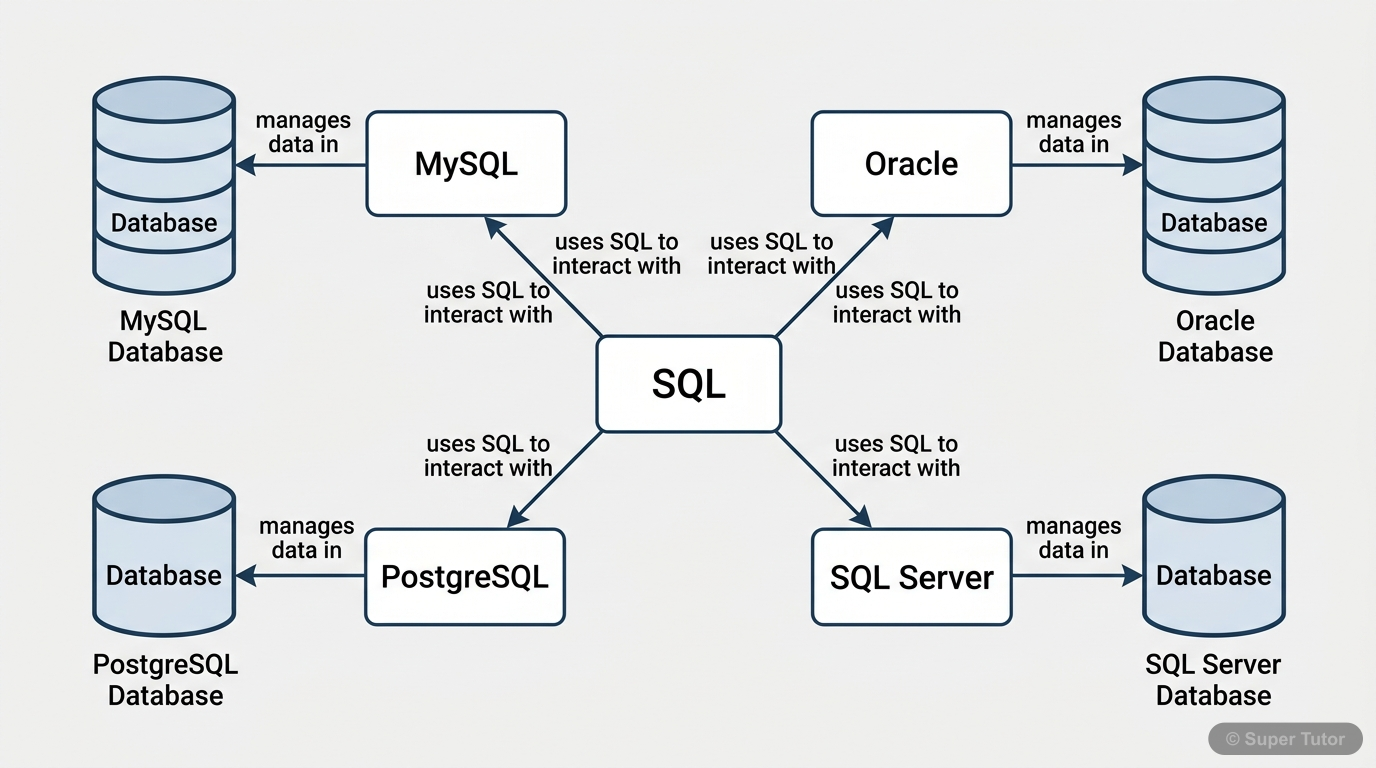
One of 17 illustrations for Structured Query a Language (SQL) in Super Tutor — alongside flashcards, concept maps and practice questions.
The first 25 solutions are open to read. The other 25 are free with a Super Tutor account.
Exercise — Structured Query Language (SQL)
1aDefine RDBMS. Name any two RDBMS software.Show solution
RDBMS (Relational Database Management System):
An RDBMS is a type of Database Management System (DBMS) that stores data in the form of related tables (relations). Each table consists of rows (records/tuples) and columns (attributes/fields). The relationships between tables are established using keys (Primary Key and Foreign Key).
Two popular RDBMS software:
- MySQL
- Oracle
1bWhat is the purpose of the following clauses in a select statement? i) ORDER BY ii) GROUP BYShow solution
i) ORDER BY clause:
The ORDER BY clause is used to display the result of a SQL query in either ascending (ASC) or descending (DESC) order with respect to the values of a specified attribute. By default, the order is ascending.
Syntax:
Example:
SELECT * FROM Student ORDER BY Name ASC;ii) GROUP BY clause:
The GROUP BY clause is used to group rows of a table that contain the same values in a specified column. It is generally used with aggregate functions (COUNT, MAX, MIN, SUM, AVG) to produce summary results for each group.
Syntax:
Example:
SELECT Category, COUNT(*) FROM MOVIE GROUP BY Category;1cCite any two differences between Single Row Functions and Aggregate Functions.Show solution
| Basis | Single Row Functions | Aggregate Functions (Multiple Row Functions) |
|---|---|---|
| Working | Work on a single row at a time and return one result per row. | Work on a set of rows (entire table or a group) and return a single summarised value. |
| Examples | UPPER(), LOWER(), LENGTH(), ROUND(), NOW() | COUNT(), SUM(), AVG(), MAX(), MIN() |
| Use with GROUP BY | Not required to use with GROUP BY. | Often used with GROUP BY to produce group-wise results. |
| Output rows | Number of output rows equals number of input rows. | Produces a single output row (or one row per group). |
1dWhat do you understand by Cartesian Product?Show solution
Cartesian Product:
A Cartesian Product (also called Cross Join) is an operation that combines each row of one table with every row of another table. If Table A has rows and Table B has rows, then their Cartesian Product will have rows.
In SQL, a Cartesian Product is obtained when two tables are listed in the FROM clause without any WHERE or JOIN condition.
Syntax:
SELECT * FROM Table1, Table2;Example: If TEAM has 4 rows and MATCH_DETAILS has 6 rows, their Cartesian Product will produce rows.
Cartesian Products are generally avoided in practice as they produce a very large number of meaningless combinations.
1eDifferentiate between the following statements: i) ALTER and UPDATE ii) DELETE and DROPShow solution
i) ALTER vs UPDATE:
| Basis | ALTER | UPDATE |
|---|---|---|
| Type | DDL (Data Definition Language) statement | DML (Data Manipulation Language) statement |
| Purpose | Used to change the structure of a table (add/remove/modify columns, add/drop constraints). | Used to modify existing data (values) in one or more rows of a table. |
| Example | ALTER TABLE Student ADD Marks INT; | UPDATE Student SET Marks = 90 WHERE RollNo = 1; |
ii) DELETE vs DROP:
| Basis | DELETE | DROP |
|---|---|---|
| Type | DML (Data Manipulation Language) statement | DDL (Data Definition Language) statement |
| Purpose | Used to remove specific rows (or all rows) from a table. The table structure remains intact. | Used to remove the entire table (structure + data) permanently from the database. |
| Reversible | Can be rolled back (in transactions). | Cannot be easily reversed; the table is permanently deleted. |
| Example | DELETE FROM Student WHERE RollNo = 5; | DROP TABLE Student; |
1fWrite the name of the functions to perform the following operations: i) To display the day like 'Monday', 'Tuesday', from the date when India got independence. ii) To display the specified number of characters from a particular position of the given string. iii) To display the name of the month in which you were born. iv) To display your name in capital letters.Show solution
i) To display the day name (like 'Monday', 'Tuesday') from India's Independence date (15th August 1947):
SELECT DAYNAME('1947-08-15');Output: Saturday
ii) To display a specified number of characters from a particular position of a string:
SELECT MID('Informatics', 3, 4);
-- or
SELECT SUBSTR('Informatics', 3, 4);
iii) To display the name of the month in which you were born:
SELECT MONTHNAME('2005-03-15');Output: March
iv) To display your name in capital (uppercase) letters:
SELECT UPPER('Rahul');Output: RAHUL
2aWrite the output produced by the following SQL statement: SELECT POW(2,3);Show solution
Given: SELECT POW(2,3);
Concept: POW(base, exponent) returns the value of base raised to the power of exponent.
Output:
+----------+
| POW(2,3) |
+----------+
|        8 |
+----------+2bWrite the output produced by the following SQL statement: SELECT ROUND(342.9234,-1);Show solution
Given: SELECT ROUND(342.9234, -1);
Concept: ROUND(number, decimal_places) rounds a number to the specified number of decimal places. A negative value for decimal places rounds to the left of the decimal point.
ROUND(342.9234, -1)rounds to the nearest tens place.- (since the units digit is 2, which is less than 5, round down)
Output:
+----------------------+
| ROUND(342.9234,-1)   |
+----------------------+
|                  340 |
+----------------------+2cWrite the output produced by the following SQL statement: SELECT LENGTH("Informatics Practices");Show solution
Given: SELECT LENGTH("Informatics Practices");
Concept: LENGTH(string) returns the number of characters in the string, including spaces.
Counting characters in "Informatics Practices":
Informatics= 11 charactersPractices= 9 characters- Total =
Output:
+---------------------------+
| LENGTH("Informatics Practices") |
+---------------------------+
|                        21 |
+---------------------------+2dWrite the output produced by the following SQL statement: SELECT YEAR("1979/11/26"), MONTH("1979/11/26"), DAY("1979/11/26"), MONTHNAME("1979/11/26");Show solution
Given: SELECT YEAR("1979/11/26"), MONTH("1979/11/26"), DAY("1979/11/26"), MONTHNAME("1979/11/26");
Concept:
YEAR(date)→ extracts the year partMONTH(date)→ extracts the month as a numberDAY(date)→ extracts the day partMONTHNAME(date)→ returns the full name of the month
Working:
- Date =
1979/11/26 YEAR→1979MONTH→11DAY→26MONTHNAME→November
Output:
+--------------------+---------------------+-------------------+---------------------------+
| YEAR("1979/11/26") | MONTH("1979/11/26") | DAY("1979/11/26") | MONTHNAME("1979/11/26")   |
+--------------------+---------------------+-------------------+---------------------------+
|               1979 |                  11 |                26 | November                  |
+--------------------+---------------------+-------------------+---------------------------+2eWrite the output produced by the following SQL statement: SELECT LEFT("INDIA",3), RIGHT("Computer Science",4), MID("Informatics",3,4), SUBSTR("Practices",3);Show solution
Given: SELECT LEFT("INDIA",3), RIGHT("Computer Science",4), MID("Informatics",3,4), SUBSTR("Practices",3);
Concept and Working:
LEFT("INDIA", 3)→ Returns the leftmost 3 characters of"INDIA"
- Result:
IND
RIGHT("Computer Science", 4)→ Returns the rightmost 4 characters of"Computer Science"
"Computer Science"→ last 4 chars =ence- Result:
ence
MID("Informatics", 3, 4)→ Returns 4 characters starting from position 3
I(1) n(2) f(3) o(4) r(5) m(6) a(7) t(8) i(9) c(10) s(11)- Starting at position 3:
f,o,r,m→form - Result:
form
SUBSTR("Practices", 3)→ Returns substring starting from position 3 to end
P(1) r(2) a(3) c(4) t(5) i(6) c(7) e(8) s(9)- Starting at position 3:
actices - Result:
actices
Output:
+----------------+-------------------------------+------------------------+----------------------+
| LEFT("INDIA",3)| RIGHT("Computer Science",4)   | MID("Informatics",3,4) | SUBSTR("Practices",3)|
+----------------+-------------------------------+------------------------+----------------------+
| IND            | ence                          | form                   | actices              |
+----------------+-------------------------------+------------------------+----------------------+3aConsider the MOVIE table. Display all the information from the Movie table.Show solution
SQL Query:
SELECT * FROM MOVIE;Explanation: The SELECT * statement retrieves all columns and all rows from the MOVIE table. The * (asterisk) is a wildcard that represents all columns.
3bList business done by the movies showing only MovieID, MovieName and Total_Earning. Total_Earning to be calculated as the sum of ProductionCost and BusinessCost.Show solution
SQL Query:
SELECT MovieID, MovieName, (ProductionCost + BusinessCost) AS Total_Earning
FROM MOVIE;
Explanation:
- We select
MovieIDandMovieNamedirectly. Total_Earningis a computed column calculated as the sum ofProductionCostandBusinessCost.- The
ASkeyword is used to give an alias nameTotal_Earningto the computed column.
3cList the different categories of movies.Show solution
SQL Query:
SELECT DISTINCT Category FROM MOVIE;Explanation: The DISTINCT keyword eliminates duplicate values and displays each category only once.
Expected Output:
Musical
Action
Horror
Adventure
Comedy3dFind the net profit of each movie showing its MovieID, MovieName and NetProfit. Net Profit is to be calculated as the difference between Business Cost and Production Cost.Show solution
SQL Query:
SELECT MovieID, MovieName, (BusinessCost - ProductionCost) AS NetProfit
FROM MOVIE;
Explanation:
NetProfitis a computed column calculated asBusinessCost - ProductionCost.- The
ASkeyword assigns the aliasNetProfitto the computed expression.
3eList MovieID, MovieName and Cost for all movies with ProductionCost greater than 10,000 and less than 1,00,000.Show solution
SQL Query:
SELECT MovieID, MovieName, ProductionCost AS Cost
FROM MOVIE
WHERE ProductionCost > 10000 AND ProductionCost < 100000;
Alternative using BETWEEN (note: BETWEEN is inclusive, so we use > and <):
SELECT MovieID, MovieName, ProductionCost AS Cost
FROM MOVIE
WHERE ProductionCost BETWEEN 10001 AND 99999;
Explanation: The WHERE clause filters rows where ProductionCost is strictly greater than 10,000 and strictly less than 1,00,000.
Expected Output (from given data):
- 002 Tamil_Movie 112000 → excluded (> 1,00,000)
- 004 Bengali_Movie 72000 → included
- 005 Telugu_Movie 100000 → excluded (not less than 1,00,000)
- 006 Punjabi_Movie 30500 → included
- 001 Hindi_Movie 124500 → excluded
3fList details of all movies which fall in the category of comedy or action.Show solution
SQL Query:
SELECT * FROM MOVIE
WHERE Category = 'Comedy' OR Category = 'Action';
Alternative using IN operator:
SELECT * FROM MOVIE
WHERE Category IN ('Comedy', 'Action');
Explanation: The IN operator checks if the value of Category matches any value in the given list. Both queries produce the same result — rows for Tamil_Movie (Action), Telugu_Movie (Action), and Punjabi_Movie (Comedy).
3gList details of all movies which have not been released yet.Show solution
SQL Query:
SELECT * FROM MOVIE
WHERE ReleaseDate IS NULL;
Explanation: Movies that have not been released yet will have a NULL value in the ReleaseDate column. We use IS NULL to check for NULL values (we cannot use = NULL).
Expected Output: Telugu_Movie (005) and Punjabi_Movie (006) — both have no release date (shown as - in the table, meaning NULL).
4aCreate a database 'Sports'.Show solution
SQL Query:
CREATE DATABASE Sports;
USE Sports;
Explanation:
CREATE DATABASE Sports;creates a new database namedSports.USE Sports;selects the database so that subsequent SQL statements operate on it.
4bCreate a table 'TEAM' with the following considerations: i) It should have a column TeamID for storing an integer value between 1 to 9. ii) Each TeamID should have its associated name (TeamName), which should be a string of length not less than 10 characters.Show solution
SQL Query:
CREATE TABLE TEAM
(
    TeamID   INT,
    TeamName VARCHAR(30)
);
Explanation:
TeamIDis of typeINTto store integer values between 1 to 9.TeamNameis of typeVARCHAR(30)— a variable-length string that can hold team names of length not less than 10 characters (we define maximum as 30 to accommodate longer names).- The Primary Key constraint is added separately in part (c) as per the question.
4cUsing table level constraint, make TeamID as the primary key.Show solution
SQL Query (with table-level PRIMARY KEY constraint):
CREATE TABLE TEAM
(
    TeamID   INT,
    TeamName VARCHAR(30),
    CONSTRAINT pk_team PRIMARY KEY (TeamID)
);
Explanation:
- A table-level constraint is defined separately after all column definitions.
CONSTRAINT pk_team PRIMARY KEY (TeamID)declaresTeamIDas the Primary Key at the table level.- This ensures that
TeamIDvalues are unique and not NULL.
4dShow the structure of the table TEAM using a SQL statement.Show solution
SQL Query:
DESCRIBE TEAM;or
DESC TEAM;Explanation: The DESCRIBE (or DESC) statement displays the structure of the table — column names, data types, whether NULL is allowed, key information, default values, and extra information.
Expected Output:
+----------+-------------+------+-----+---------+-------+
| Field    | Type        | Null | Key | Default | Extra |
+----------+-------------+------+-----+---------+-------+
| TeamID   | int         | NO   | PRI | NULL    |       |
| TeamName | varchar(30) | YES  |     | NULL    |       |
+----------+-------------+------+-----+---------+-------+4eInsert the four rows in TEAM table: Row 1: (1, Team Titan), Row 2: (2, Team Rockers), Row 3: (3, Team Magnet), Row 4: (4, Team Hurricane)Show solution
SQL Queries:
INSERT INTO TEAM VALUES (1, 'Team Titan');
INSERT INTO TEAM VALUES (2, 'Team Rockers');
INSERT INTO TEAM VALUES (3, 'Team Magnet');
INSERT INTO TEAM VALUES (4, 'Team Hurricane');
Explanation: The INSERT INTO statement is used to add new rows into the table. Values are provided in the same order as the columns defined in the table structure.
4fShow the contents of the table TEAM using a DML statement.Show solution
SQL Query:
SELECT * FROM TEAM;Explanation: SELECT is a DML (Data Manipulation Language) statement used to retrieve data from a table. * retrieves all columns.
Expected Output:
+--------+----------------+
| TeamID | TeamName       |
+--------+----------------+
|      1 | Team Titan     |
|      2 | Team Rockers   |
|      3 | Team Magnet    |
|      4 | Team Hurricane |
+--------+----------------+4gCreate another table MATCH_DETAILS and insert data as shown. Choose appropriate data types and constraints for each attribute.Show solution
SQL Query to Create Table:
CREATE TABLE MATCH_DETAILS
(
    MatchID         VARCHAR(5),
    MatchDate       DATE,
    FirstTeamID     INT,
    SecondTeamID    INT,
    FirstTeamScore  INT,
    SecondTeamScore INT,
    CONSTRAINT pk_match PRIMARY KEY (MatchID),
    CONSTRAINT fk_first  FOREIGN KEY (FirstTeamID)  REFERENCES TEAM(TeamID),
    CONSTRAINT fk_second FOREIGN KEY (SecondTeamID) REFERENCES TEAM(TeamID)
);
SQL Queries to Insert Data:
INSERT INTO MATCH_DETAILS VALUES ('M1', '2018-07-17', 1, 2, 90, 86);
INSERT INTO MATCH_DETAILS VALUES ('M2', '2018-07-18', 3, 4, 45, 48);
INSERT INTO MATCH_DETAILS VALUES ('M3', '2018-07-19', 1, 3, 78, 56);
INSERT INTO MATCH_DETAILS VALUES ('M4', '2018-07-19', 2, 4, 56, 67);
INSERT INTO MATCH_DETAILS VALUES ('M5', '2018-07-18', 1, 4, 32, 87);
INSERT INTO MATCH_DETAILS VALUES ('M6', '2018-07-17', 2, 3, 67, 51);
Explanation of Data Types:
MatchID:VARCHAR(5)— short string identifier like M1, M2.MatchDate:DATE— stores date in YYYY-MM-DD format.FirstTeamID,SecondTeamID:INT— integer references to TeamID in TEAM table.FirstTeamScore,SecondTeamScore:INT— integer scores.- Foreign Key constraints ensure referential integrity with the TEAM table.
Free with a Super Tutor account
Free with a Super Tutor account
Free with a Super Tutor account
Free with a Super Tutor account
Free with a Super Tutor account
Free with a Super Tutor account
Free with a Super Tutor account
Free with a Super Tutor account
Free with a Super Tutor account
Free with a Super Tutor account
Free with a Super Tutor account
Free with a Super Tutor account
Free with a Super Tutor account
Free with a Super Tutor account
Free with a Super Tutor account
Free with a Super Tutor account
Free with a Super Tutor account
Free with a Super Tutor account
Free with a Super Tutor account
Free with a Super Tutor account
Free with a Super Tutor account
Free with a Super Tutor account
Free with a Super Tutor account
Free with a Super Tutor account
Free with a Super Tutor account
25 more solved questions in Structured Query a Language (SQL)
They are free with a Super Tutor account, along with practice quizzes and flashcards for this chapter. Free to start, no card needed.
Frequently Asked Questions
What are the important topics in Structured Query a Language (SQL) for Kerala Board Class 12 Computer Science?
Are these NCERT Solutions for Structured Query a Language (SQL) free?
How should I revise Structured Query a Language (SQL) for the Kerala Board Class 12 board exam?
Sources & Official References
- Kerala Board of Public Examinations — keralapareekshabhavan.in
- National Education Policy 2020 — education.gov.in
Content is aligned to the official syllabus. Refer to the board website for the latest curriculum.
More resources for Structured Query a Language (SQL)
Practice Quiz
Test yourself with a quick quiz
Important Questions
Exam-style questions with answers
Revision Notes
Key points for last-minute revision
Chapter Summary
Understand the chapter at a glance
Concept Maps
See how topics connect
Study Plan
Step-by-step plan for this chapter
Flashcards
Quick-fire cards for active recall
Syllabus
What topics to cover
For serious students
Get the full Structured Query a Language (SQL) chapter — start free.
Quizzes, flashcards, an AI doubt solver and a study plan for Kerala Board Class 12 Computer Science. Free to start, no card needed.