Computer Software — Study Plan
NIOS · Class 12 · Computer Science
A step-by-step study plan for Computer Software, NIOS Class 12 Computer Science: what to learn first, what to practise and when to revise.
Interactive on Super Tutor
Studying Computer Software? Get the full interactive chapter.
Quizzes, flashcards, AI doubt-solver and a step-by-step study plan — built for study plan and more.
Free trial, no card needed.
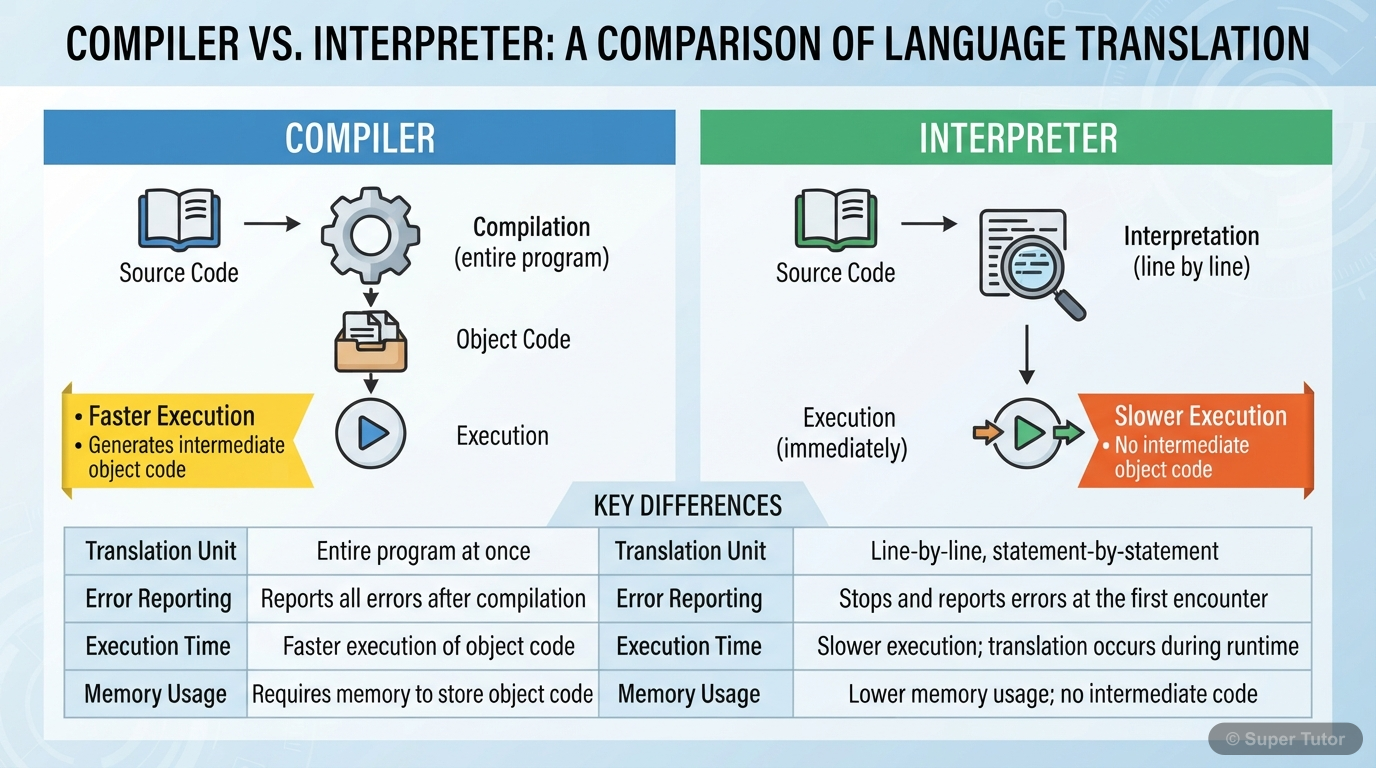
Learn better with visuals Super Tutor pairs illustrations like this with notes and quizzes for Computer Software.
Get startedStudy Plan
Learn the Theory
Read the textbook chapter carefully. Note down definitions, formulas and key ideas. Focus on: 1. Meaning and Classification of Software, 2. System Software and Operating System, 3. Utility Software and Application Software.
Practise
Solve the textbook exercises and extra practice questions. There are 43 questions available for this chapter.
Revise & Test
Revise key points without looking at your notes. Take a practice quiz and mark weak areas for another pass.
Spaced Revision
Come back to Computer Software after a week. Use flashcards for quick recall and try past exam questions on this chapter.
What to Focus On
- Software is a complete set of instructions written to solve a problem on a computer.
- Programs are the instruction sets that control the computer.
- Hardware needs software to perform useful work.
- Computer software has two broad categories: system software and application software.
- System software supports the working of the computer itself.
- Application software performs user-specific tasks.
- System software is supplied with the computer and stored permanently in the machine.
- Its goals are better hardware use and easier computer operation.
- It includes translators, operating systems, utilities, and special purpose software.
Common Mistakes to Avoid
Software means only programs that are installed on a computer.
System software and application software are just two names for the same thing.
Operating system is just another application program that the user opens when needed.
Memory Tips
Definition of software
Two broad categories of software
System software definition and role
Objectives of system software
Want a personalised study plan?
Super Tutor builds a day-by-day plan for NIOS Class 12 Computer Science that fits your exam date and pace.
Create My Study PlanFrequently Asked Questions
What are the important topics in Computer Software for NIOS Class 12 Computer Science?
How should I revise Computer Software for the NIOS Class 12 board exam?
Sources & Official References
Content is aligned to the official syllabus. Refer to the board website for the latest curriculum.
More resources for Computer Software
Practice Quiz
Test yourself with a quick quiz
Important Questions
Exam-style questions with answers
Revision Notes
Key points for last-minute revision
Chapter Summary
Understand the chapter at a glance
Concept Maps
See how topics connect
Flashcards
Quick-fire cards for active recall
Syllabus
What topics to cover
For serious students
Get the full Computer Software chapter — start free.
Quizzes, flashcards, an AI doubt solver and a study plan for NIOS Class 12 Computer Science. Free to start, no card needed.