File Handling in Python — NCERT Solutions
Tripura Board · Class 12 · Computer Science
NCERT Solutions for File Handling in Python, Tripura Board Class 12 Computer Science: 21 textbook questions solved step by step. Covers Exercise.
Interactive on Super Tutor
Studying File Handling in Python? Get the full interactive chapter.
Quizzes, flashcards, AI doubt-solver and a step-by-step study plan — built for NCERT solutions and more.
Free trial, no card needed.
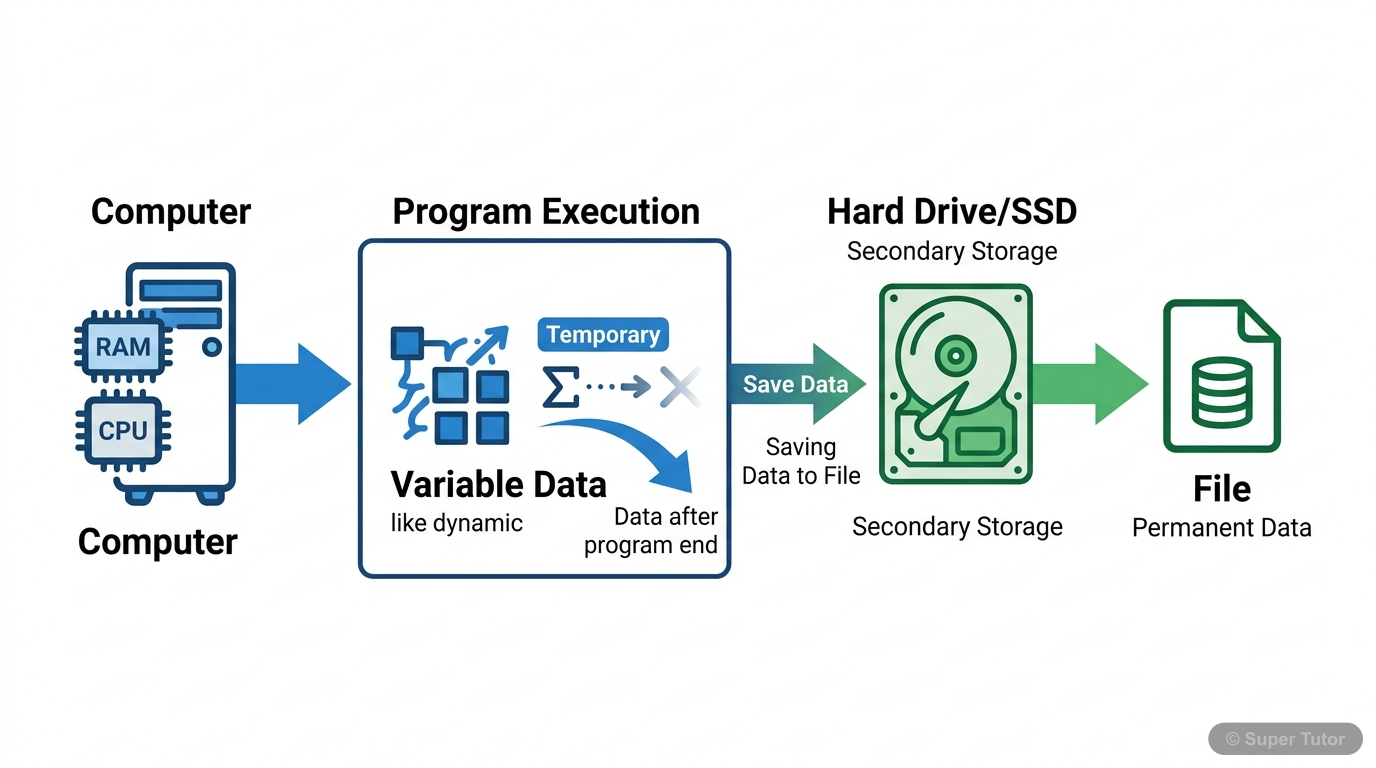
One of 9 illustrations for File Handling in Python in Super Tutor — alongside flashcards, concept maps and practice questions.
The first 11 solutions are open to read. The other 10 are free with a Super Tutor account.
Exercise
1Differentiate between:Show solution
- Text file: contains human-readable characters; can be opened by any text editor.
- Binary file: contains non-human-readable data in bytes; needs specific programs to access it.
1(a)text file and binary fileShow solution
Text file vs binary file:
- A text file consists of readable characters such as alphabets, numbers, and symbols. Its contents are stored as ASCII/Unicode byte values and can be opened in a text editor.
- A binary file stores data as bytes that do not represent readable characters. It may contain images, audio, video, executable files, etc., and needs specific software to read or write it.
1(b)readline() and readlines()Show solution
- readline() reads one complete line from a file. If a number is given, it reads up to that many bytes, but not beyond the newline character.
- readlines() reads all lines from a file and returns them as a list of strings.
1(c)write() and writelines()Show solution
- write() writes a single string to a text file and returns the number of characters written.
- writelines() writes multiple strings from an iterable like a list or tuple, and it does not return the number of characters written.
2(a)open()Show solution
The open() function is used to open a file in Python. It returns a file object/file handle that can be used for reading or writing.
Syntax:
file_object = open(file_name, access_mode)2(b)read()Show solution
The read() method is used to read a specified number of bytes from a file.
Syntax:
file_object.read(n)If no argument or a negative value is given, it reads the entire file.
2(c)seek()Show solution
The seek() method is used to move the file object to a particular position in the file.
Syntax:
file_object.seek(offset[, reference_point])offset= number of bytes to movereference_point= starting position:0beginning,1current position,2end of file
2(d)dump()Show solution
The dump() method of the pickle module is used to pickle a Python object and write it to a binary file.
Syntax:
dump(data_object, file_object)3(a)a text file “example.txt” in both read and write modeShow solution
A text file opened in both read and write mode uses the mode r+.
Statement:
file_object = open("example.txt", "r+")3(b)a binary file “bfile.dat” in write modeShow solution
A binary file opened in write mode uses the mode wb.
Statement:
file_object = open("bfile.dat", "wb")3(c)a text file “try.txt” in append and read modeShow solution
A text file opened in append and read mode uses the mode a+.
Statement:
file_object = open("try.txt", "a+")Free with a Super Tutor account
Free with a Super Tutor account
Free with a Super Tutor account
P.read(10)
Free with a Super Tutor account
x = P.read()
Free with a Super Tutor account
Free with a Super Tutor account
Free with a Super Tutor account
Free with a Super Tutor account
Free with a Super Tutor account
Free with a Super Tutor account
10 more solved questions in File Handling in Python
They are free with a Super Tutor account, along with practice quizzes and flashcards for this chapter. Free to start, no card needed.
Frequently Asked Questions
What are the important topics in File Handling in Python for Tripura Board Class 12 Computer Science?
Are these NCERT Solutions for File Handling in Python free?
How should I revise File Handling in Python for the Tripura Board Class 12 board exam?
Sources & Official References
Content is aligned to the official syllabus. Refer to the board website for the latest curriculum.
More resources for File Handling in Python
Practice Quiz
Test yourself with a quick quiz
Important Questions
Exam-style questions with answers
Revision Notes
Key points for last-minute revision
Formula Sheet
The chapter's formulas in one place
Chapter Summary
Understand the chapter at a glance
Concept Maps
See how topics connect
Study Plan
Step-by-step plan for this chapter
Flashcards
Quick-fire cards for active recall
Syllabus
What topics to cover
For serious students
Get the full File Handling in Python chapter — start free.
Quizzes, flashcards, an AI doubt solver and a study plan for Tripura Board Class 12 Computer Science. Free to start, no card needed.