Security Aspects
CBSE · Class 12 · Computer Science
NCERT Solutions for Security Aspects — CBSE Class 12 Computer Science.
Interactive on Super Tutor
Studying Security Aspects? Get the full interactive chapter.
Quizzes, flashcards, AI doubt-solver and a step-by-step study plan — built for ncert solutions and more.
1,000+ Class 12 students started this chapter today
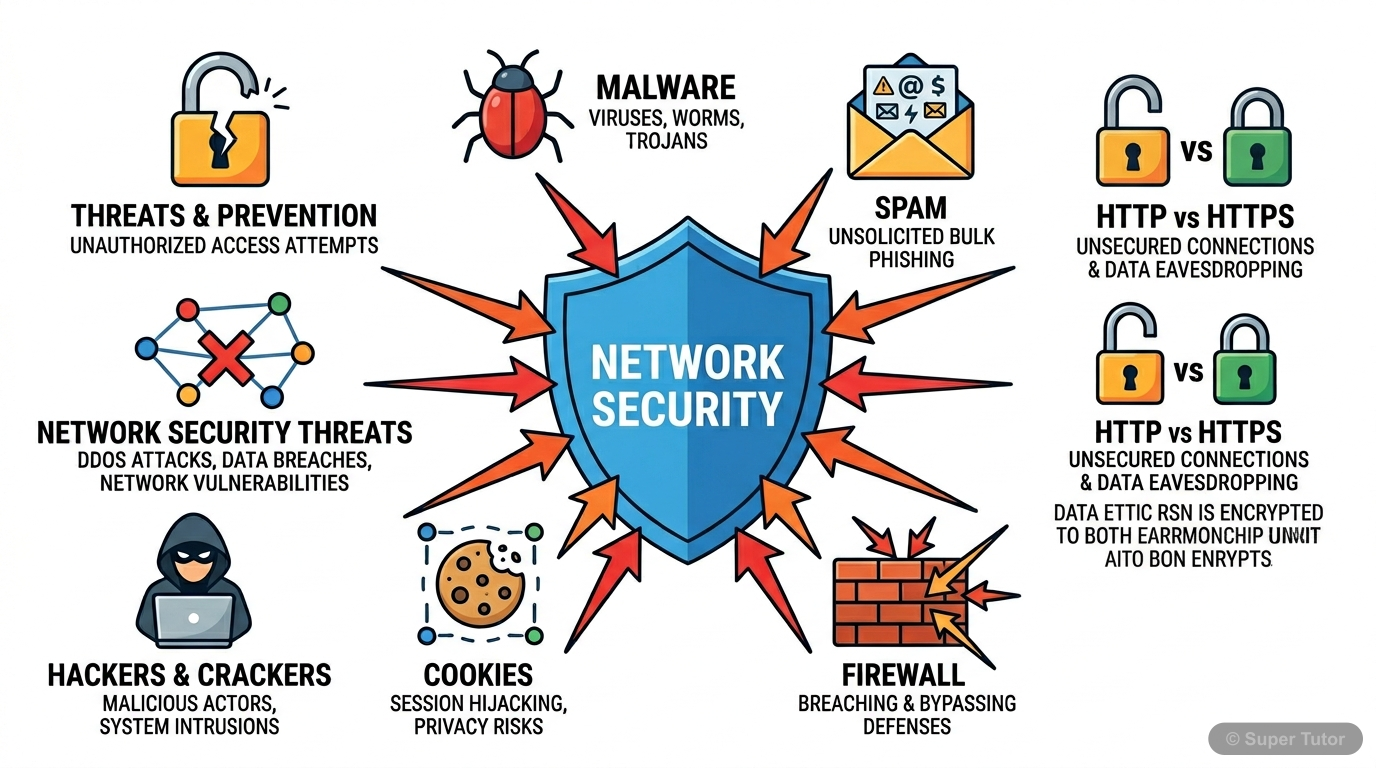
Super Tutor has 20+ illustrations like this for Security Aspects alone — flashcards, concept maps, and step-by-step visuals.
See them all9 worked solutions below. Unlock all 17 free in Super Tutor
EXERCISE
1Why is a computer considered to be safe if it is not connected to a network or Internet?Show solution
Not sure why a step works? check your working in Super Tutor
2What is a computer virus? Name some computer viruses that were popular in recent years.Show solution
Not sure why a step works? check your working in Super Tutor
3How is a computer worm different from a virus?Show solution
- A worm does not need a host program to insert its code into; it is a standalone program.
- A virus usually needs human triggering to replicate, but a worm replicates on its own and can spread through the network.
So, a worm is self-contained and self-replicating, while a virus depends on a host file and user action.
Not sure why a step works? check your working in Super Tutor
4How is Ransomware used to extract money from users?Show solution
Not sure why a step works? check your working in Super Tutor
5How did a Trojan get its name?Show solution
Not sure why a step works? check your working in Super Tutor
6How does an adware generate revenue for its creator?Show solution
Not sure why a step works? check your working in Super Tutor
7Briefly explain two threats that may arise due to a keylogger installed on a computer.Show solution
1. It can record passwords, emails, private conversations, and other sensitive information typed by the user and send them to an external entity.
2. It can expose login credentials, banking details, and personal data, leading to identity theft, account misuse, or financial loss.
So, keyloggers threaten both privacy and security.
Not sure why a step works? check your working in Super Tutor
8How is a Virtual Keyboard safer than On Screen Keyboard?Show solution
Not sure why a step works? check your working in Super Tutor
9List and briefly explain different modes of malware distribution.Show solution
- Downloaded from the Internet: Malware may be unknowingly downloaded by the user, especially disguised as free software or files.
- Spam Email: Malware may arrive as unsolicited emails with harmful links or attachments.
- Removable Storage Devices: Infected pen drives, SSD cards, music players, or phones can transfer malware to other systems.
- Network Propagation: Some malware, like worms, spread from one computer to another through a network connection.
Not sure why a step works? check your working in Super Tutor
8 more solved questions in Security Aspects
Every remaining exercise is solved step by step in Super Tutor, plus practice quizzes and flashcards for this chapter. Free to start.
Stuck on a step?
Ask Super Tutor AI to explain any solution on this page in a simpler way — free, 24x7.
Ask a Doubt FreeFrequently Asked Questions
What are the important topics in Security Aspects for CBSE Class 12 Computer Science?
How to score full marks in Security Aspects — CBSE Class 12 Computer Science?
Where can I get free NCERT Solutions for Security Aspects Class 12 Computer Science?
Sources & Official References
- NCERT Official — ncert.nic.in
- CBSE Academic — cbseacademic.nic.in
- CBSE Official — cbse.gov.in
- National Education Policy 2020 — education.gov.in
Content is aligned to the official syllabus. Refer to the board website for the latest curriculum.
More resources for Security Aspects
Practice Quiz
Test yourself with a quick quiz
Important Questions
Practice with board exam-style questions
Revision Notes
Key points for last-minute revision
Formula Sheet
All formulas in one place
Chapter Summary
Understand the chapter at a glance
Concept Maps
See how topics connect visually
Study Plan
Step-by-step plan to ace this chapter
Flashcards
Quick-fire cards for active recall
Syllabus
What topics to cover
For serious students
Get the full Security Aspects chapter — for free.
Quizzes, flashcards, AI doubt-solver and a step-by-step study plan for CBSE Class 12 Computer Science.