Structured Query a Language (SQL)
CBSE · Class 12 · Computer Science
NCERT Solutions for Structured Query a Language (SQL) — CBSE Class 12 Computer Science.
Interactive on Super Tutor
Studying Structured Query a Language (SQL)? Get the full interactive chapter.
Quizzes, flashcards, AI doubt-solver and a step-by-step study plan — built for ncert solutions and more.
1,000+ Class 12 students started this chapter today
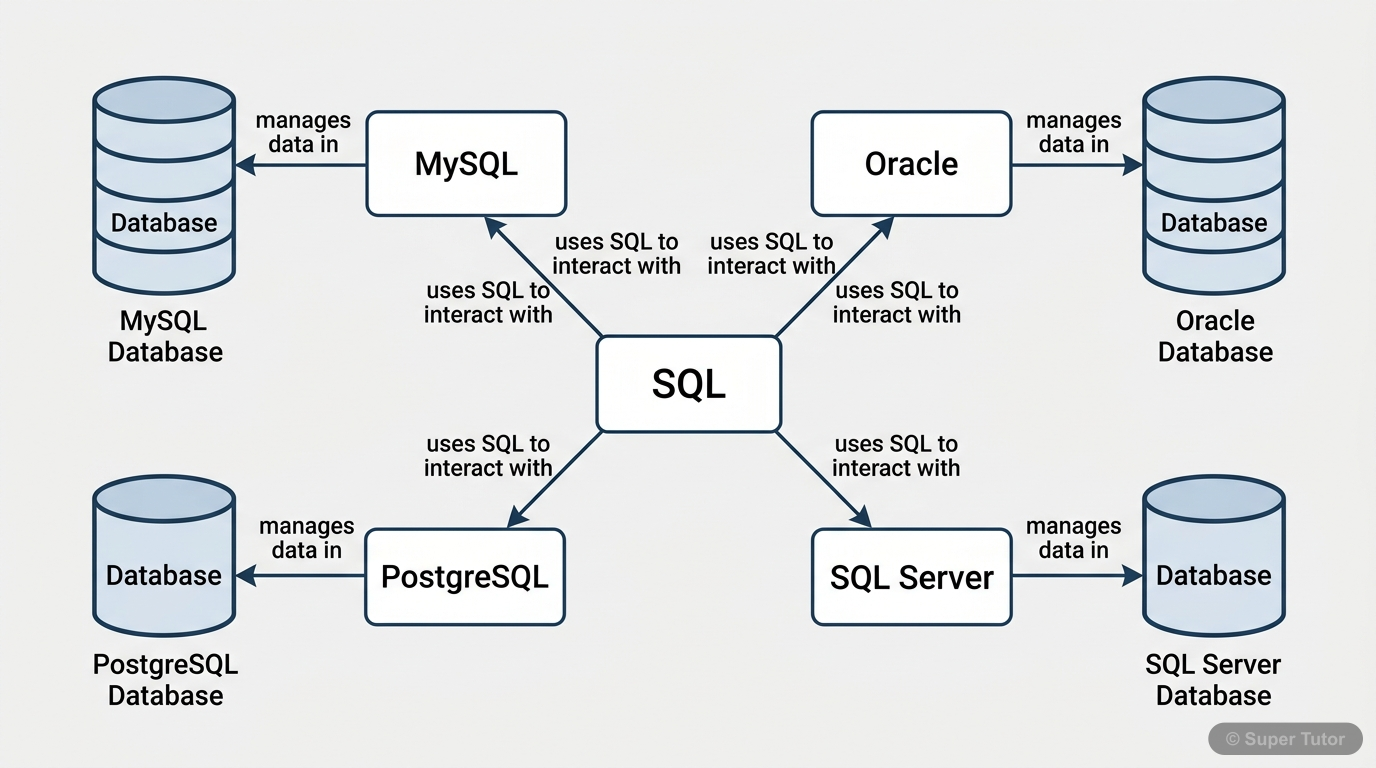
This is just one of 17+ visuals inside Super Tutor's Structured Query a Language (SQL) chapter
Explore the full set27 worked solutions below. Unlock all 54 free in Super Tutor
EXERCISE
1(a)Define RDBMS. Name any two RDBMS software.Show solution
Two RDBMS software examples are MySQL and Oracle.
Not sure why a step works? check your working in Super Tutor
1(b)What is the purpose of the following clauses in a select statement?Show solution
- GROUP BY clause is used to group rows having the same values in a column so that aggregate functions like COUNT, SUM, MAX, MIN, AVG can be applied on each group.
Not sure why a step works? check your working in Super Tutor
1(c)Site any two differences between Single Row Functions and Aggregate Functions.Show solution
1. Single Row Functions work on one row at a time and return one result per row; Aggregate Functions work on a group of rows and return one result for the whole group.
2. Single Row Functions can be used in SELECT, WHERE, and ORDER BY clauses; Aggregate Functions are used in the SELECT clause only.
Not sure why a step works? check your working in Super Tutor
1(d)What do you understand by Cartesian Product?Show solution
Not sure why a step works? check your working in Super Tutor
1(e)Differentiate between the following statements:Show solution
- ALTER changes the structure/schema of a table, such as adding/removing/modifying columns or constraints.
- UPDATE changes the data/values stored in existing records.
ii) DELETE and DROP
- DELETE removes records/rows from a table; the table remains.
- DROP removes the table or database permanently from the system.
Not sure why a step works? check your working in Super Tutor
1(f)Write the name of the functions to perform the following operations:Show solution
1. To display the day like “Monday”, “Tuesday” from a date: DAYNAME()
2. To display a specified number of characters from a particular position: MID() / SUBSTRING() / SUBSTR()
3. To display the name of the month: MONTHNAME()
4. To display a name in capital letters: UCASE() / UPPER()
Not sure why a step works? check your working in Super Tutor
2(a)SELECT POW(2,3);Show solution
Not sure why a step works? check your working in Super Tutor
2(b)SELECT ROUND(342.9234,-1);Show solution
So,
Not sure why a step works? check your working in Super Tutor
2(c)SELECT LENGTH("Informatics Practices");Show solution
- Informatics = 11 characters
- space = 1 character
- Practices = 9 characters
Total =
Not sure why a step works? check your working in Super Tutor
2(d)SELECT YEAR("1979/11/26"),
MONTH("1979/11/26"),
DAY("1979/11/26"),
MONTHNAME("1979/11/26");Show solution
- YEAR = 1979
- MONTH = 11
- DAY = 26
- MONTHNAME = November
So the output is: 1979, 11, 26, November.
Not sure why a step works? check your working in Super Tutor
2(e)SELECT LEFT("INDIA",3),
RIGHT("Computer Science",4),
MID("Informatics",3,4),
SUBSTR("Practices",3);Show solution
- `LEFT("INDIA",3)` = IND
- `RIGHT("Computer Science",4)` = erSc
- `MID("Informatics",3,4)` = characters from position 3 for length 4 = form
- `SUBSTR("Practices",3)` = substring from position 3 till end = actices
So the output is IND, erSc, form, actices.
Not sure why a step works? check your working in Super Tutor
3Consider the following MOVIE table and write the SQL queries based on it.Show solution
Not sure why a step works? check your working in Super Tutor
3(a)Display all the information from the Movie table.Show solution
Not sure why a step works? check your working in Super Tutor
3(b)List business done by the movies showing only MovieID, MovieName and Total_Earning. Total_Earning to be calculated as the sum of ProductionCost and BusinessCost.Show solution
Not sure why a step works? check your working in Super Tutor
3(c)List the different categories of movies.Show solution
Not sure why a step works? check your working in Super Tutor
3(d)Find the net profit of each movie showing its MovieID, MovieName and NetProfit. Net Profit is to be calculated as the difference between Business Cost and Production Cost.Show solution
Not sure why a step works? check your working in Super Tutor
3(e)List MovieID, MovieName and Cost for all movies with ProductionCost greater than 10,000 and less than 1,00,000.Show solution
Not sure why a step works? check your working in Super Tutor
3(f)List details of all movies which fall in the category of comedy or action.Show solution
Not sure why a step works? check your working in Super Tutor
3(g)List details of all movies which have not been released yet.4. Suppose your school management has decided to conduct cricket matches between students of Class XI and Class XII. Students of each class are asked to join any one of the four teams – Team Titan, Team Rockers, Team Magnet and Team Hurricane. During summer vacations, various matches will be conducted between these teams. Help your sports teacher to do the following:- a) Create a database “Sports”.Show solution
Not sure why a step works? check your working in Super Tutor
4(b)Create a table “TEAM” with following considerations:Show solution
Not sure why a step works? check your working in Super Tutor
4(c)Using table level constraint, make TeamID as the primary key.Show solution
Not sure why a step works? check your working in Super Tutor
4(d)Show the structure of the table TEAM using a SQL statement.Show solution
Not sure why a step works? check your working in Super Tutor
4(e)As per the preferences of the students four teams were formed as given below. Insert these four rows in TEAM table:Show solution
Not sure why a step works? check your working in Super Tutor
4(f)Show the contents of the table TEAM using a DML statement.Show solution
Not sure why a step works? check your working in Super Tutor
4(g)Now create another table MATCH\_DETAILS and insert data as shown below. Choose appropriate data types and constraints for each attribute.Show solution
Not sure why a step works? check your working in Super Tutor
5Using the sports database containing two relations (TEAM, MATCH\_DETAILS) and write the queries for the following:Show solution
Not sure why a step works? check your working in Super Tutor
5(a)Display the MatchID of all those matches where both the teams have scored more than 70.Show solution
Not sure why a step works? check your working in Super Tutor
27 more solved questions in Structured Query a Language (SQL)
Every remaining exercise is solved step by step in Super Tutor, plus practice quizzes and flashcards for this chapter. Free to start.
Stuck on a step?
Ask Super Tutor AI to explain any solution on this page in a simpler way — free, 24x7.
Ask a Doubt FreeFrequently Asked Questions
What are the important topics in Structured Query a Language (SQL) for CBSE Class 12 Computer Science?
How to score full marks in Structured Query a Language (SQL) — CBSE Class 12 Computer Science?
Where can I get free NCERT Solutions for Structured Query a Language (SQL) Class 12 Computer Science?
Sources & Official References
- NCERT Official — ncert.nic.in
- CBSE Academic — cbseacademic.nic.in
- CBSE Official — cbse.gov.in
- National Education Policy 2020 — education.gov.in
Content is aligned to the official syllabus. Refer to the board website for the latest curriculum.
More resources for Structured Query a Language (SQL)
Practice Quiz
Test yourself with a quick quiz
Important Questions
Practice with board exam-style questions
Revision Notes
Key points for last-minute revision
Formula Sheet
All formulas in one place
Chapter Summary
Understand the chapter at a glance
Concept Maps
See how topics connect visually
Study Plan
Step-by-step plan to ace this chapter
Flashcards
Quick-fire cards for active recall
Syllabus
What topics to cover
For serious students
Get the full Structured Query a Language (SQL) chapter — for free.
Quizzes, flashcards, AI doubt-solver and a step-by-step study plan for CBSE Class 12 Computer Science.