Pulleys — NCERT Solutions
CBSE · Class 12 · Engineering Graphics
NCERT Solutions for Pulleys, CBSE Class 12 Engineering Graphics: 2 textbook questions solved step by step. Covers Exercise 1 — Solid C.I. Pulley.
Interactive on Super Tutor
Studying Pulleys? Get the full interactive chapter.
Quizzes, flashcards, AI doubt-solver and a step-by-step study plan — built for NCERT solutions and more.
Free trial, no card needed.
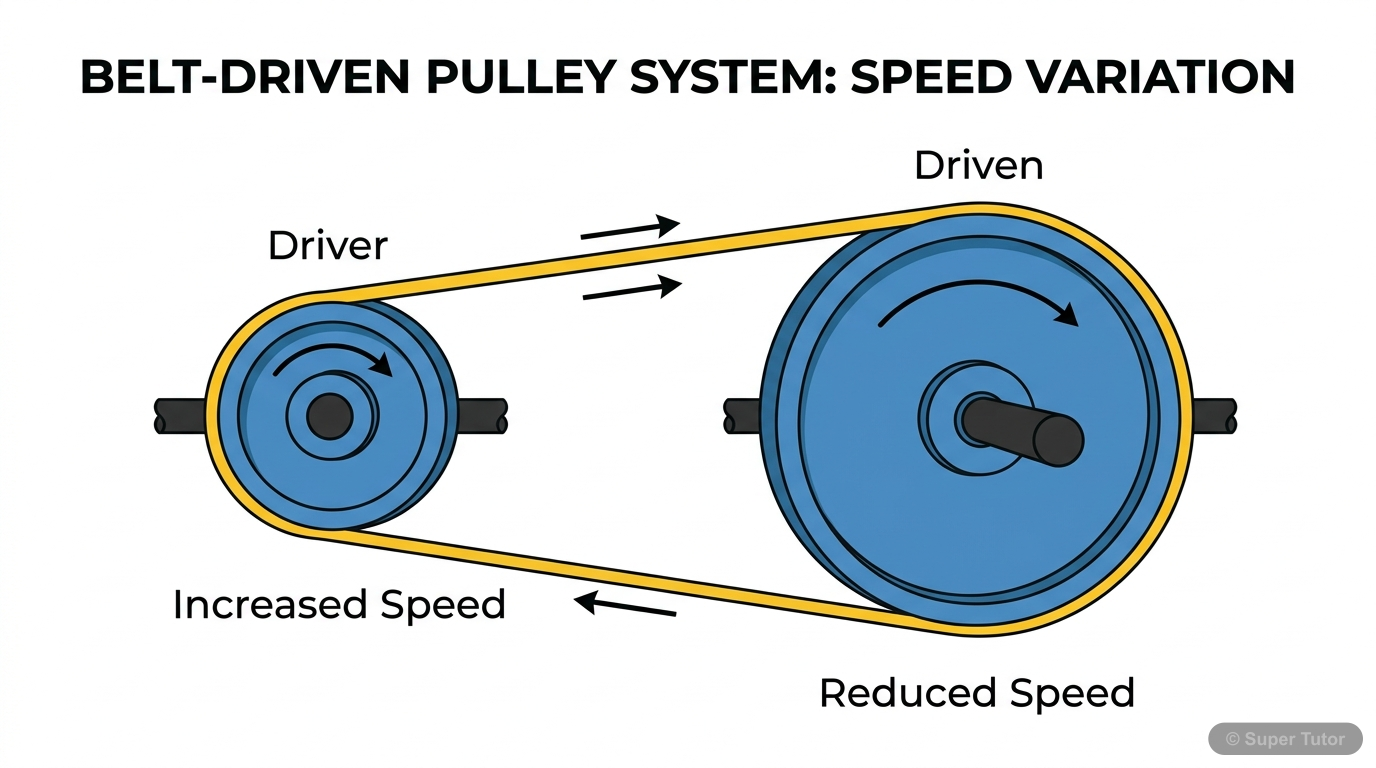
Learn better with visuals Super Tutor pairs illustrations like this with notes and quizzes for Pulleys.
Get startedThe first 1 solution is open to read. The other 1 are free with a Super Tutor account. Unlock all 2 free in Super Tutor
Exercise 1 — Solid C.I. Pulley (Assembly Drawing)
1The figure given below shows the parts of a Solid C.I. Pulley. Assemble them and draw the following views to scale 1:1
(a) Front view, lower half in section
(b) Side view, seen from left.
Write title and scale used. Draw projection symbol. Give '6' important dimensions.Show solution
Given: Detail (part) drawings of a Solid Cast-Iron (C.I.) Pulley are provided. The parts are: (i) Pulley body (solid web/disc type), (ii) Shaft, and (iii) Key.
Concept: An assembly drawing combines all individual parts in their correct working positions. A half-sectional front view shows the lower half cut by a horizontal cutting plane passing through the axis, revealing internal features (hub bore, keyway, web thickness, rim profile), while the upper half remains as an external view.
Step-by-Step Procedure:
Step 1 – Identify the parts and their dimensions (read from the given detail drawings):
- Pulley: overall diameter (D), face width (B), rim thickness, hub diameter, hub length, bore diameter, keyway dimensions.
- Shaft: diameter equal to bore of pulley hub.
- Sunk Key: width × height × length as per keyway.
Step 2 – Establish the position w.r.t. H.P. and V.P.:
- The pulley axis is kept horizontal (parallel to V.P. and perpendicular to H.P. in the standard position).
- The shaft passes through the hub bore along the pulley axis.
- The key is fitted in the keyway between shaft and hub.
Step 3 – Draw the Front View (lower half in section), Scale 1:1:
- Draw the centre lines — one horizontal (axis of pulley/shaft) and one vertical (centre of face width).
- Upper half (external view):
- Draw the outer rim profile: two horizontal lines at from axis, connected by the face-width lines.
- Show the crowned (slightly convex) or flat rim face.
- Show the hub as a cylinder of hub-diameter and hub-length, projecting symmetrically about the web.
- Show the solid web (disc) connecting rim to hub.
- Lower half (sectional view — cut by horizontal plane through axis):
- Show the cross-section of the rim (rectangular section of thickness ).
- Show the solid web in section (hatched with cast-iron hatching — thin lines at 45°).
- Show the hub cross-section: outer hub diameter and inner bore diameter; keyway slot visible at the top of the bore.
- Show the shaft (circle/rectangle in section) inside the bore — shaft is NOT hatched (standard practice: shaft not cut in section).
- Show the key in section (hatched) sitting in the keyway.
- Draw the cutting-plane line (chain line with arrows) along the horizontal axis in the side view to indicate the section.
Step 4 – Draw the Left Side View, Scale 1:1:
- Project from the front view.
- Draw concentric circles:
- Outermost circle: rim outer diameter .
- Next circle: rim inner diameter .
- Hub outer circle: hub diameter .
- Bore circle: bore diameter (= shaft diameter).
- Show the solid web as the area between hub and rim (no spokes — solid disc).
- Show the keyway as a small rectangular slot at the top of the bore circle.
- Show the shaft ends projecting beyond the hub on both sides (visible as circles coinciding with bore).
- Apply centre lines.
Step 5 – Dimensioning (6 important dimensions):
Step 6 – Title Block and Projection Symbol:
- Write title: SOLID C.I. PULLEY — ASSEMBLY DRAWING
- Scale: 1:1
- Draw the First-Angle Projection symbol (frustum of cone symbol) in the title block.
Key Drawing Notes (Board Exam Tips):
- In the sectional front view, hatch the pulley body (rim, web, hub) with thin lines at 45° (C.I. hatching — single direction, equally spaced).
- The shaft is not hatched even though it appears in the section (standard rule: shafts, keys, bolts are not sectioned when cut longitudinally).
- The key IS hatched (it is cut transversely/across its length in the front view section).
- The boundary between the sectioned lower half and the unsectioned upper half is shown by a horizontal centre line (no extra line needed if the cutting plane coincides with the axis).
- The left side view is placed to the right of the front view in First-Angle Projection.
Final Answer: The assembled views — (a) Front view with lower half in section and (b) Left side view — are drawn at Scale 1:1 in First-Angle Projection with 6 dimensions and title block as described above (refer to Fig. 7.8 of the textbook for the finished drawing).
Not sure why a step works? check your working in Super Tutor
Exercise 2 — Solid C.I. Pulley (Disassembly / Detail Drawing)
(a) PULLEY — (i) Lower half Sectional front view, (ii) RH Side view
(b) KEY — (i) Front view, (ii) Top view
Write title and scale used. Draw projection symbol. Give '6' important dimensions.
Free with a Super Tutor account
1 more solved question in Pulleys
They are free with a Super Tutor account, along with practice quizzes and flashcards for this chapter. Free to start, no card needed.
Frequently Asked Questions
What are the important topics in Pulleys for CBSE Class 12 Engineering Graphics?
Are these NCERT Solutions for Pulleys free?
Sources & Official References
- NCERT Official — ncert.nic.in
- CBSE Academic — cbseacademic.nic.in
- CBSE Official — cbse.gov.in
- National Education Policy 2020 — education.gov.in
Content is aligned to the official syllabus. Refer to the board website for the latest curriculum.
More resources for Pulleys
For serious students
Get the full Pulleys chapter — start free.
Quizzes, flashcards, an AI doubt solver and a study plan for CBSE Class 12 Engineering Graphics. Free to start, no card needed.